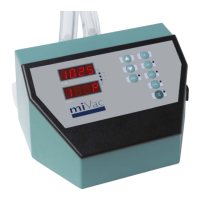
HT Series II Inert Gas Purge
10 10-1474 Issue 3-6 March 2014
If the inert gas purge cycle is started before the evaporator is started (the START button on
the inert gas purge remote control is pressed before the START button on the evaporator)
this is acceptable, providing samples have been pre-loaded and the evaporator lid / door
remains closed. However the evaporator must be started within a pre-set time, failure to
start within the must run time will cause the purge system to reset (for times, see:
Specifications).
Evaporation run in progress
Once a purge cycle is complete, the evaporator starts automatically. The purge system
monitors the vacuum within the evaporator chamber to make sure that a target vacuum level
is attained within a predetermined time; once achieved, the evaporation run proceeds under
the control of the HT Series II evaporator.
Warning: Risk of vapour ignition. The supply of inert gas to the system must be
maintained throughout the evaporation process. Do not switch off the inert gas
supply while the evaporator is operating, do not switch the key switch from
PURGE to NORMAL, if inert gas is supplied from a gas bottle make sure there is
sufficient gas before starting the evaporation run.
Stopping the evaporator
The evaporator may be stopped manually, or can be programmed to stop automatically at
the end of the run (see the evaporator user manual for details). Regardless of which method
is used, the inert gas purge system vents the evaporation chamber with inert gas before
stopping the evaporator.
The venting process takes longer when operating in purge mode than it does when operating
in normal mode. Once venting is complete, the purge system resets and the RESET LED on
the remote control comes on.
Shutting down
The inert gas purge system powers down automatically when the evaporator is powered
down; an isolation valve inside the purge box closes to prevent gas leakage.



 To Next Page