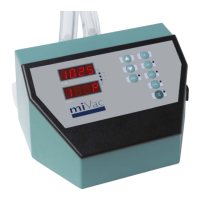
HT Series II Inert Gas Purge
6 10-1474 Issue 3-6 March 2014
Basic Operation
Power-up
The inert gas purge system powers up when the HT Series II evaporation system is switched
on; the POWER LED on the remote control lights up to confirm the system is powered.
Make sure the inert gas supply to the system is turned on.
Purge mode
On the remote control pad, turn the key switch to the PURGE position. The N
2
OK (inert gas
OK) LED lights up to indicate the inert gas pressure is adequate for the safe operation of the
system. If the N
2
OK lamp does not come on, check the inert gas supply.
With PURGE selected, the system will always purge with inert gas before allowing an
evaporation run to start, and will vent with inert gas at the end of the run, regardless of which
run is selected.
To “lock” the system in purge mode, with PURGE selected, remove the key from the remote
control switch.
Normal mode
To operate the evaporator in normal (non-purge) mode, turn the key switch to the NORMAL
position.
With NORMAL selected, the system does not purge before an evaporation run; venting is
still controlled by the purge box but the system is vented with air (not inert gas).
To “lock” the system in normal mode, with NORMAL selected, remove the key from the
remote control switch.
Caution: Risk of igniting vapours from a previous evaporation run. Always drain
the condenser before starting the evaporator in normal mode; low auto ignition
point solvents may be present from previous evaporation runs.
To operate the evaporator with the inert gas purge system in normal mode, refer to the
instructions in the HT Series II evaporator user manual; operation is the same as for a
standard (non-inert gas purge) system.



 To Next Page