Page 26 of 35
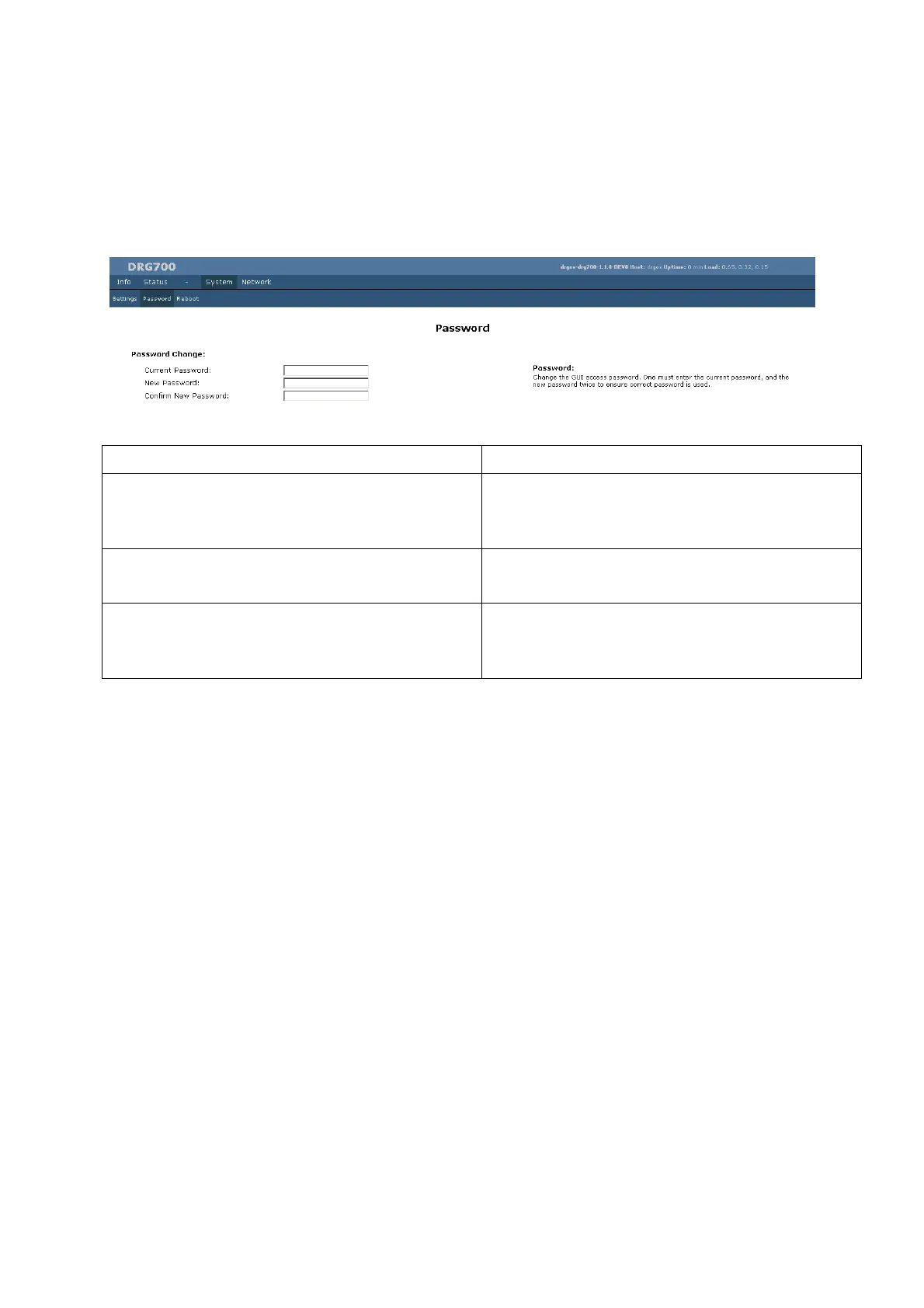
System Password
The default password is admin for all DRG700 devices. You should change this to prevent
unauthorized use of the configuration program. From this page, you can change the password used to
logon to the web server.
Field Description
Current password Enter the current password used to login to the
configuration program. This is required to prevent
unauthorized persons hijacking the program.
New password Enter the new password, valid input is A-Z, 0-9. Blank
spaces are not allowed.
Confirm new password Re-enter the password. If it is not identical to the first entry,
you will receive an error message. This is to prevent typing
errors.
Remember to click Save changes. The new password will be valid the next time you logon to the web
server.


 To Next Page