Page 30 of 35
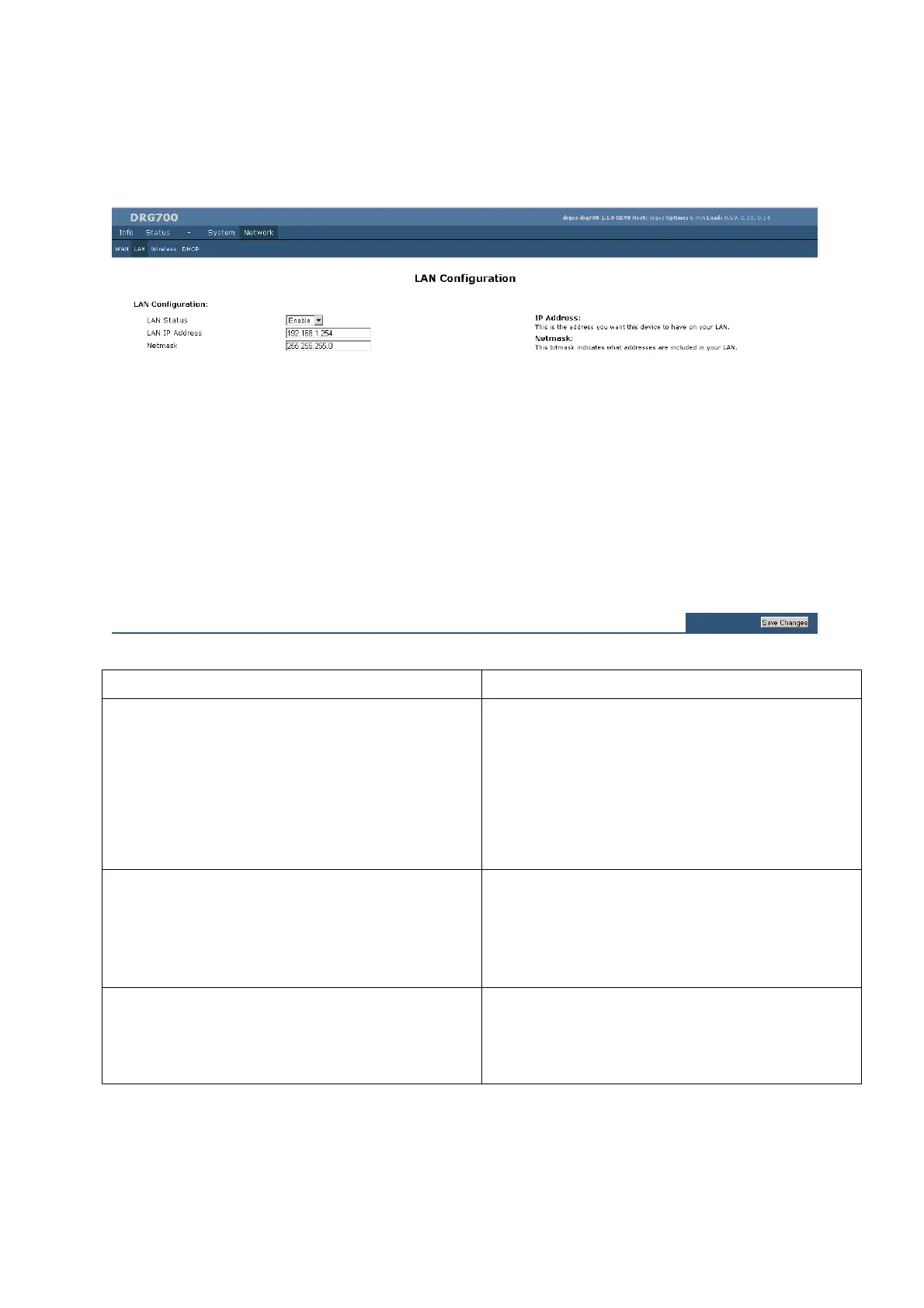
LAN Configuration
Parameter Description
LAN status If Enabled, the DRG700 will allocate IP Addresses to PCs
(DHCP clients) on your LAN when they start up. The
default (and recommended) value is Enabled.
If you are already using a DHCP Server, this setting must be
Disabled, and the existing DHCP server must be re-
configured to treat the DRG600-WiFi as the default
Gateway.
LAN IP Address IP address for the DRG600-WiFi, as seen from the local
LAN. Use the default value unless the address is already in
use or your LAN is using a different IP address range. In
the latter case, enter an unused IP Address from within the
range used by your LAN.
Netmask The default value 255.255.255.0 is standard for small (class
"C") networks. For other networks, use the Network Mask
for the LAN segment to which the DRG700 is attached. i.e.
the same value as the PCs on that LAN segment.


 To Next Page