Page 28 of 35
Network
Under this tab, you can configure the user settings for the following network interfaces:
• WAN
• LAN
• Wireless
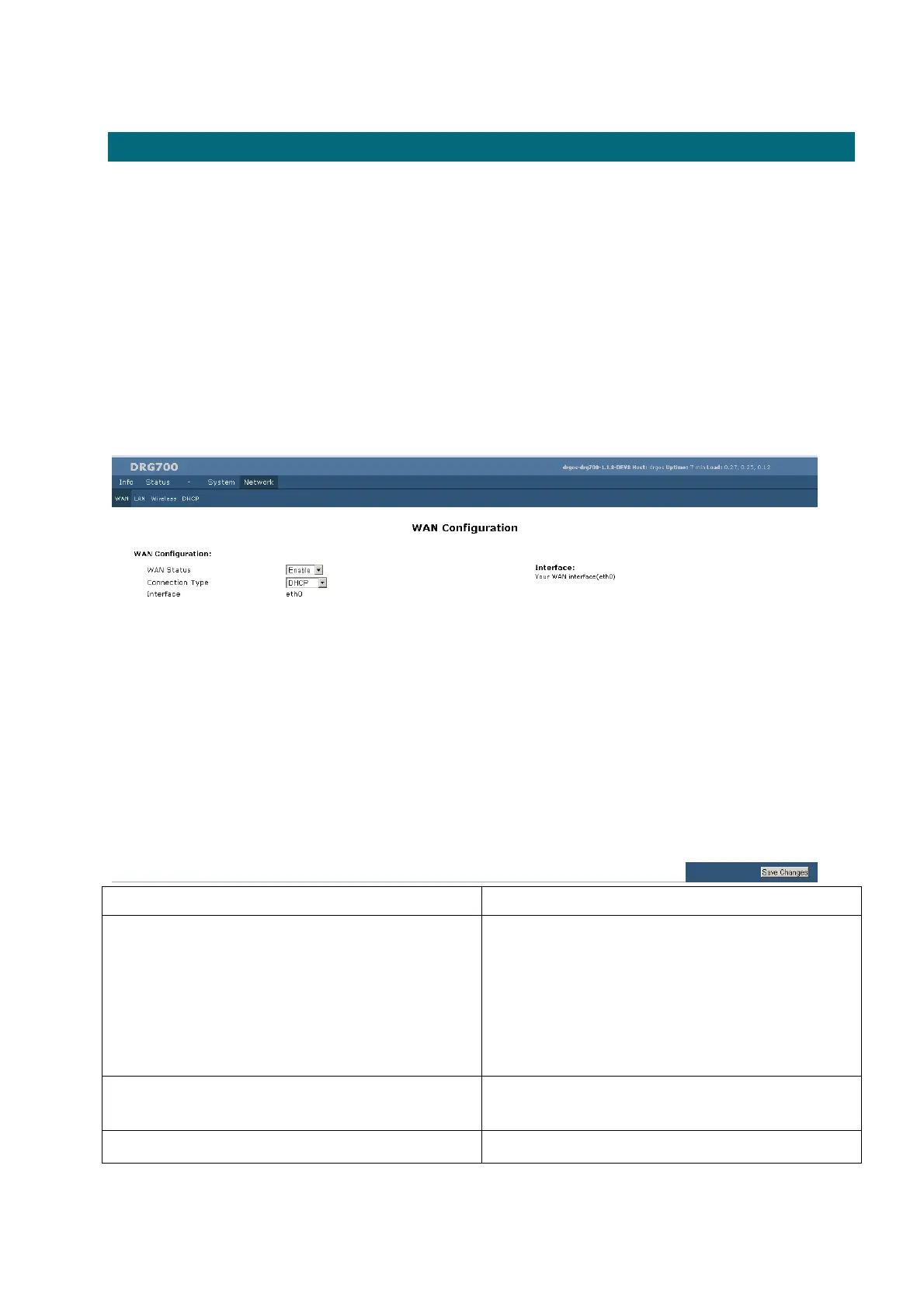
WAN Configuration
Field Description
WAN status This will show "Enabled" or "Disabled".
If "Enabled", the Internet IP Address from your ISP is
allocated automatically upon connection. (Dynamic IP
Address).
If "Disabled", the Internet IP Address from your ISP is
Fixed or Static.
Connection Type This is the method used to assign the IP address for the
DRG700. In most cases, it will be DHCP.
Interface The WAN interface is always eth0


 To Next Page