2-16
Paper Handling
Loading Continuous Forms (Push Tractor and Rear Feed)
This section explains how to use continuous forms when the tractor unit is installed at the
rear of the printer. The tractor unit pushes continuous forms. This condition applies when
you first use the printer.
To load continuous forms paper:
1. Make sure that the printer is turned on. Remove any single-sheet paper from the printer.
2. If necessary, readjust the paper thickness lever for continuous forms. (See the section
“Adjusting for Paper Thickness” earlier in this chapter.)
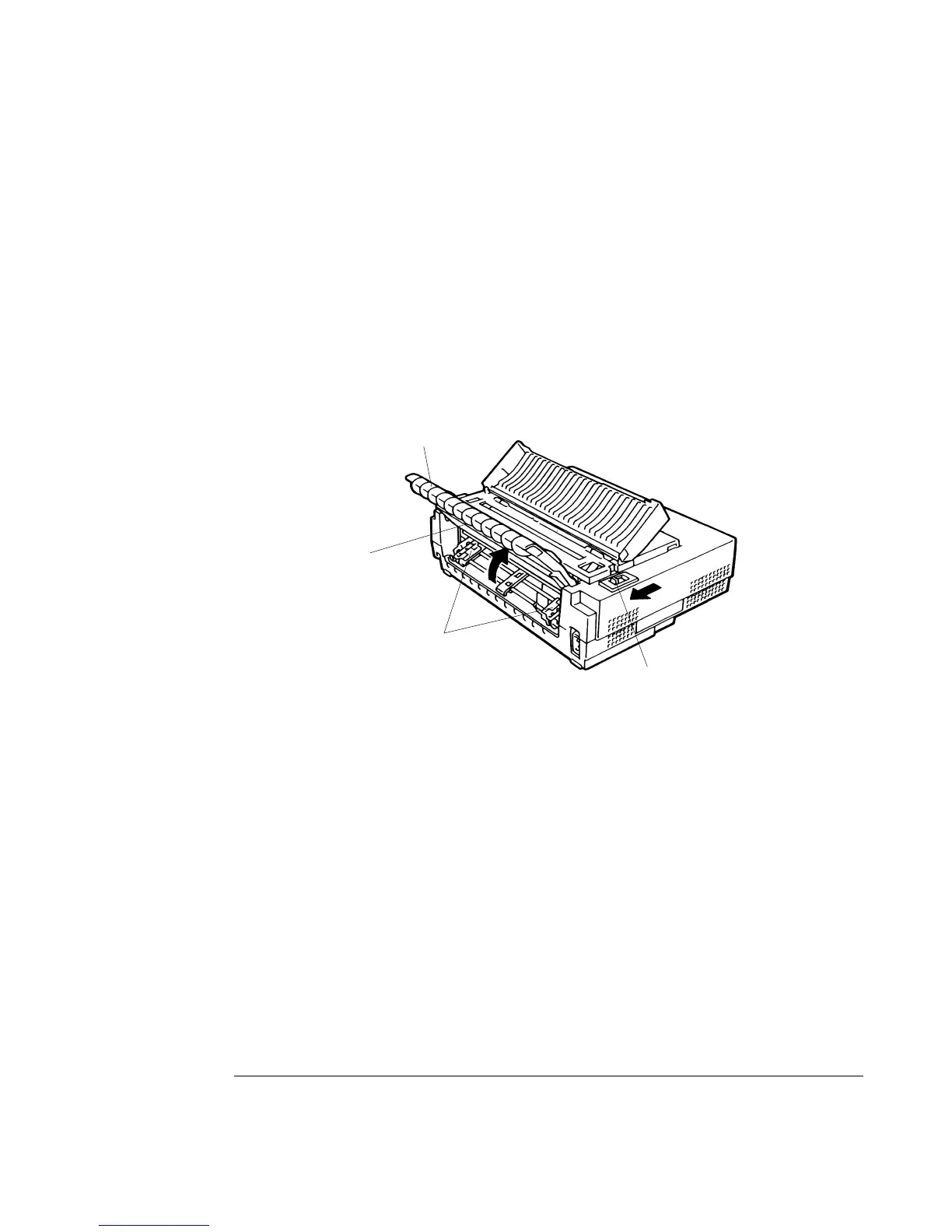
3. Move the paper select lever
11
11
1 to the rear of the printer.
Preparing to Load Continuous Forms Paper
4. To access the forms tractors 2, lock the cut sheet stand 3 and the back cover 4 together
and raise them in the up position.
3
2
4
1



 To Next Page