3-7
Printing
Print Feature Factory Settings
Menu access All functions allowed
Selecting a Resident Font
You can use the control panel to select a resident font other than the font specified in the
selected macro or by commands from the computer.
To select a resident font:
1. Switch the printer to the Pause state if you are currently printing.
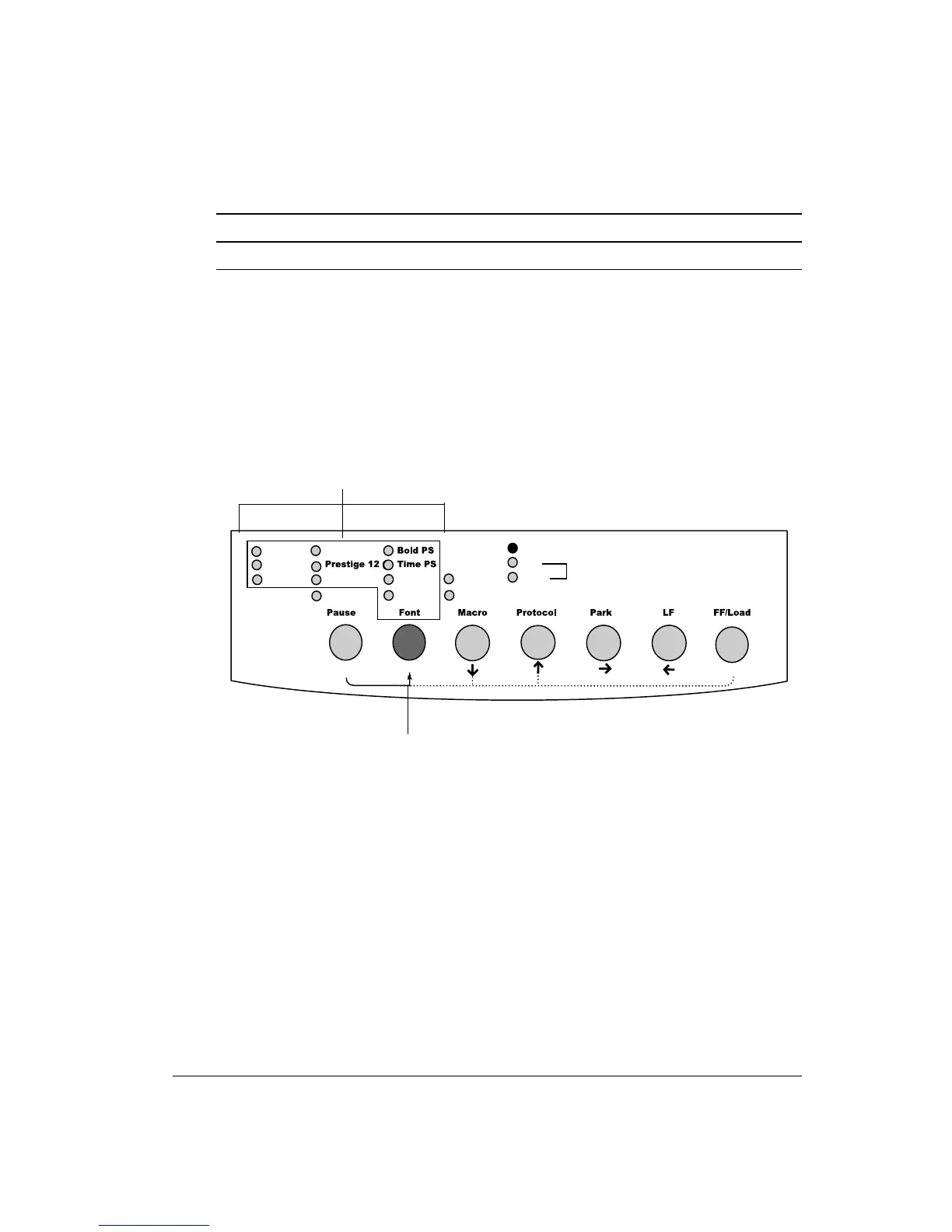
2. Repeatedly press the
Font button 1. The lighted indicator 2 shows the font selected.
Courier 10
Draft
HSDraft
Comp. 17
Nimb. PS
HiDraft
Soft Ctrl.
M1
M2
Fault
DEC
PPX24
Set-up/Quit
Top
Exit/Save
Ready
EP2
M2
M1
Control Panel
Draft: Draft font at any pitch (last active pitch or software pitch)
HSDraft: High-speed draft font at any pitch (last active pitch or software pitch)
HiDraft *: High-impact draft font at any pitch (last active pitch or software pitch)
Courier 10: Courier font at 10 cpi
Prestige 12: Prestige Elite font at 12 cpi
Compress 17: Compressed font at 17 cpi
2
1



 To Next Page