2-22
Paper Handling
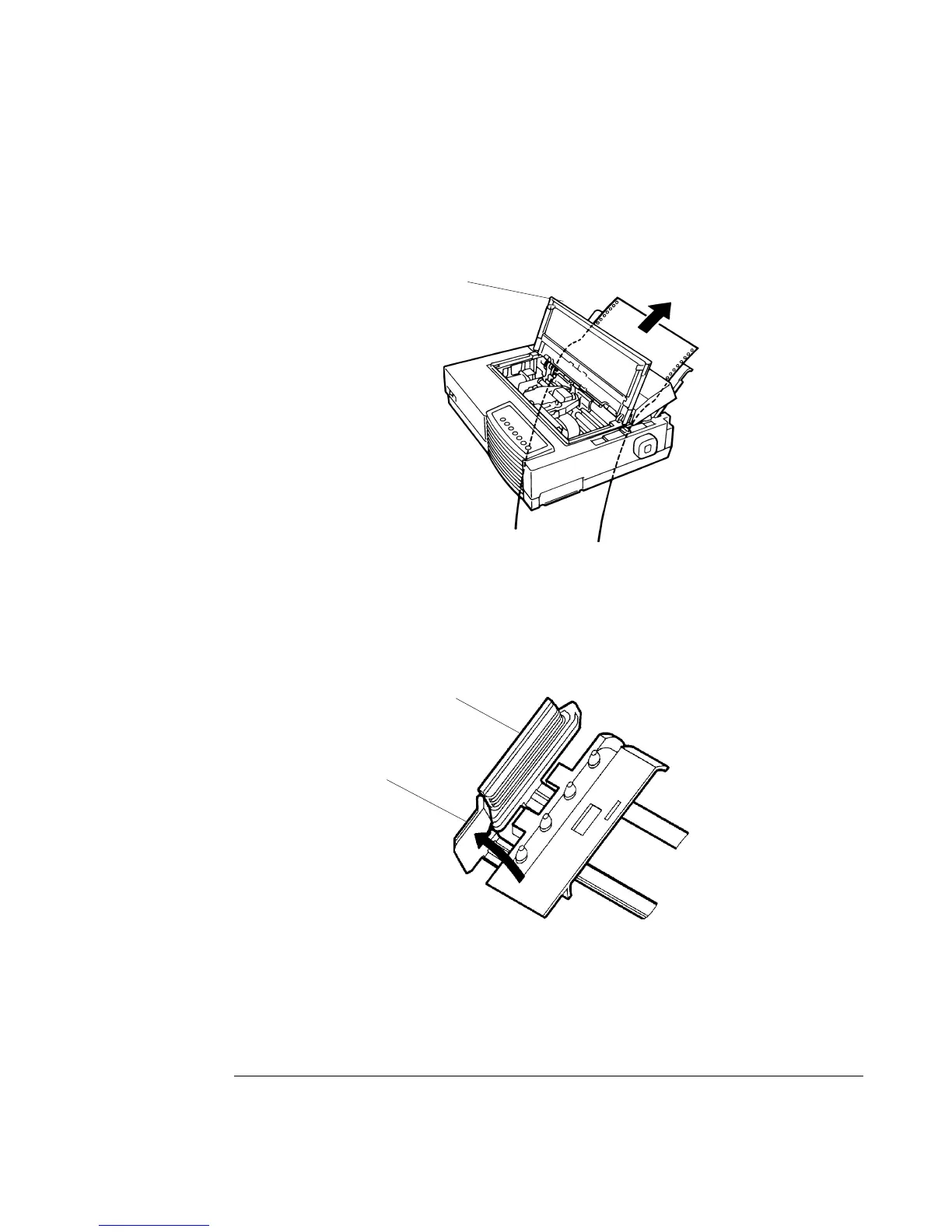
4. Open the front cover
11
11
1, with taking care of not totally removing it.
5. Place the continuous forms paper below the table and pass the paper through the slot of
the table then through the bottom slot of the printer up to the platen.
Passing Continuous Forms Paper From Under the Printer
6. Close the front cover
11
11
1 and open the top cover.
7. Open the two holders of the left and right tractors. (Each tractor has a larger main holder
2 and a smaller subholder 3.)
Opening the Two Holders
8. Set the continuous forms on the tractors and position the tractors to stretch the forms taut
in the same way as described for push-tractor feed.
22
22
2
33
33
3
11
11
1



 To Next Page