4-4
Using Set-Up Mode
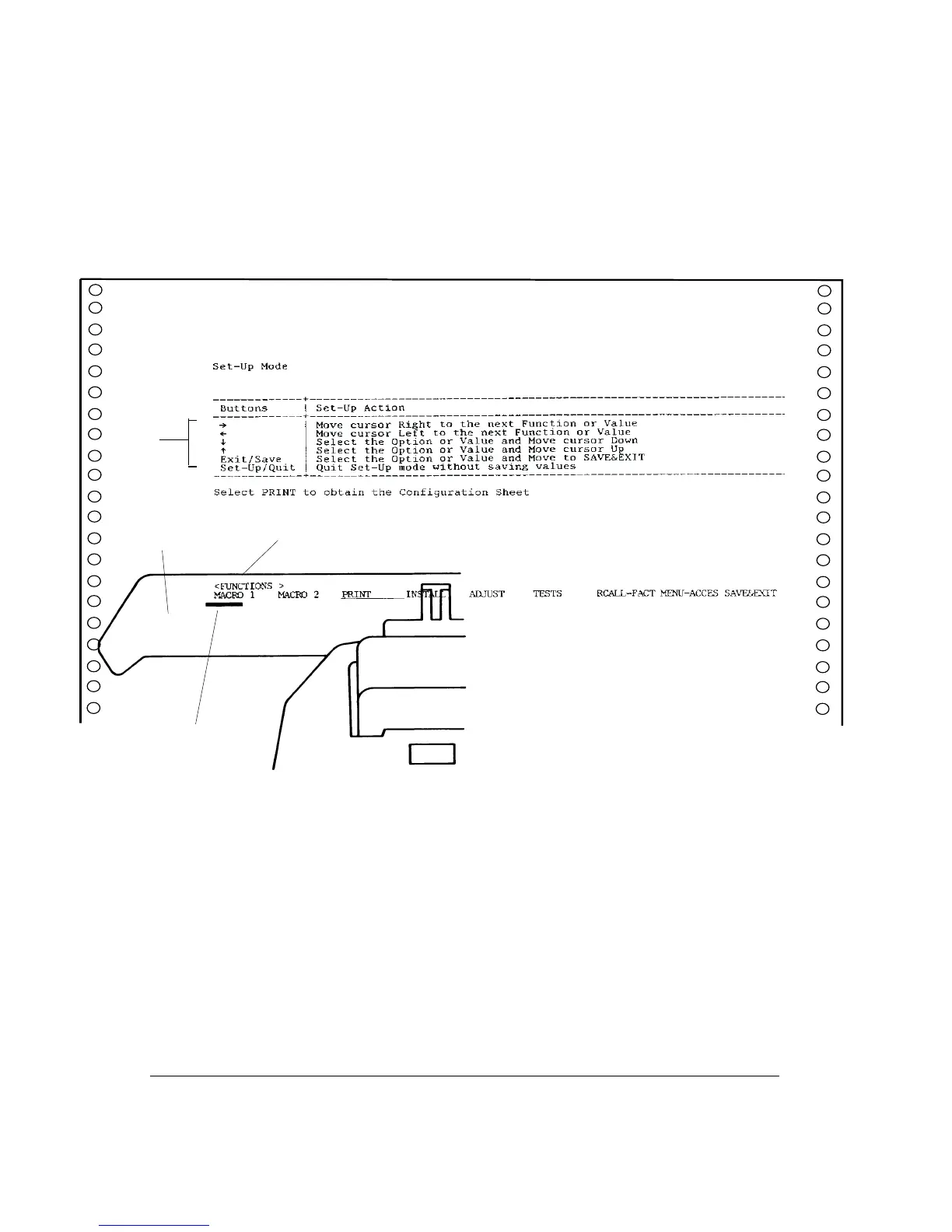
5. When the printer enters the Set-Up mode, it prints the following information. During the
Set-Up mode, the M1 and M2 indicators flash alternately.
Initial Printout in the Set-Up Mode
The initial printout contains a header, help menu 1, and <FUNCTIONS> menu 2. The
header tells you that the printer is in the Set-Up mode. The help menu provides a quick
summary of how to use buttons in the Set-Up mode.
The <FUNCTIONS> menu 2 lists all of the functions available in the Set-Up mode.
Generally speaking, the red cursor 3 on the plastic print guide 4 indicates the function or
value to be selected. When entering the Set-Up mode, the red cursor is initially positioned
under MACRO 1.
3
1
2
4



 To Next Page