5-4
Maintenance
1. Turn off the printer.
2. Open the front cover. For easy removal, slide the print head carriage between the second
and the third bail rollers (from left to right).
Warning: The print head may be hot if you have been printing recently.
3. Move the paper thickness lever 1 located on the top right of the printer to position D.
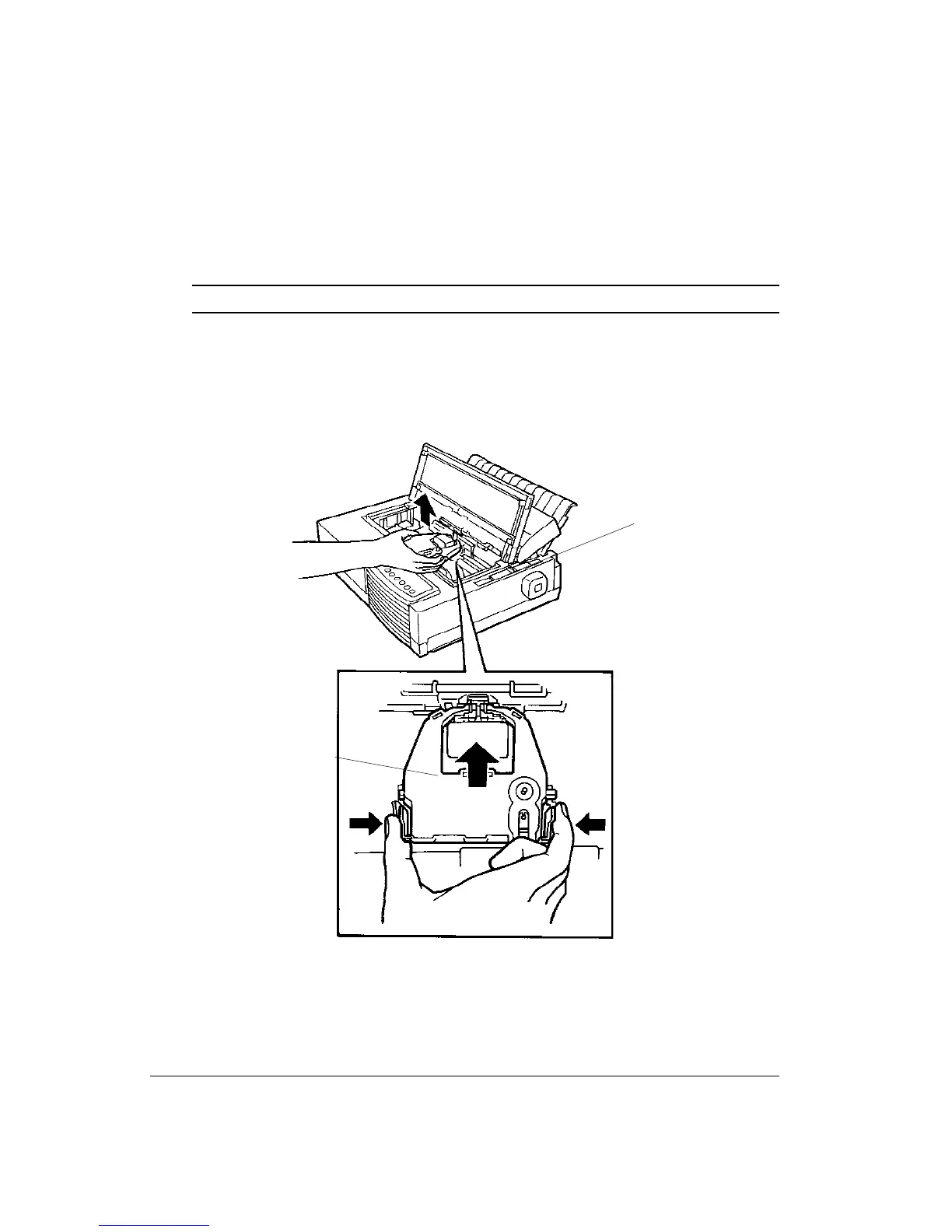
4. To remove the ribbon cartridge, press the ribbon release levers 2 located on the sides of
the cartridge and carefully lift the cartridge out of the printer.
5. Remove the new ribbon cartridge from its package and install.
Removing the Ribbon Cartridge
1
2



 To Next Page