BDVR Manual 21 Version 1.2
2. RECORD
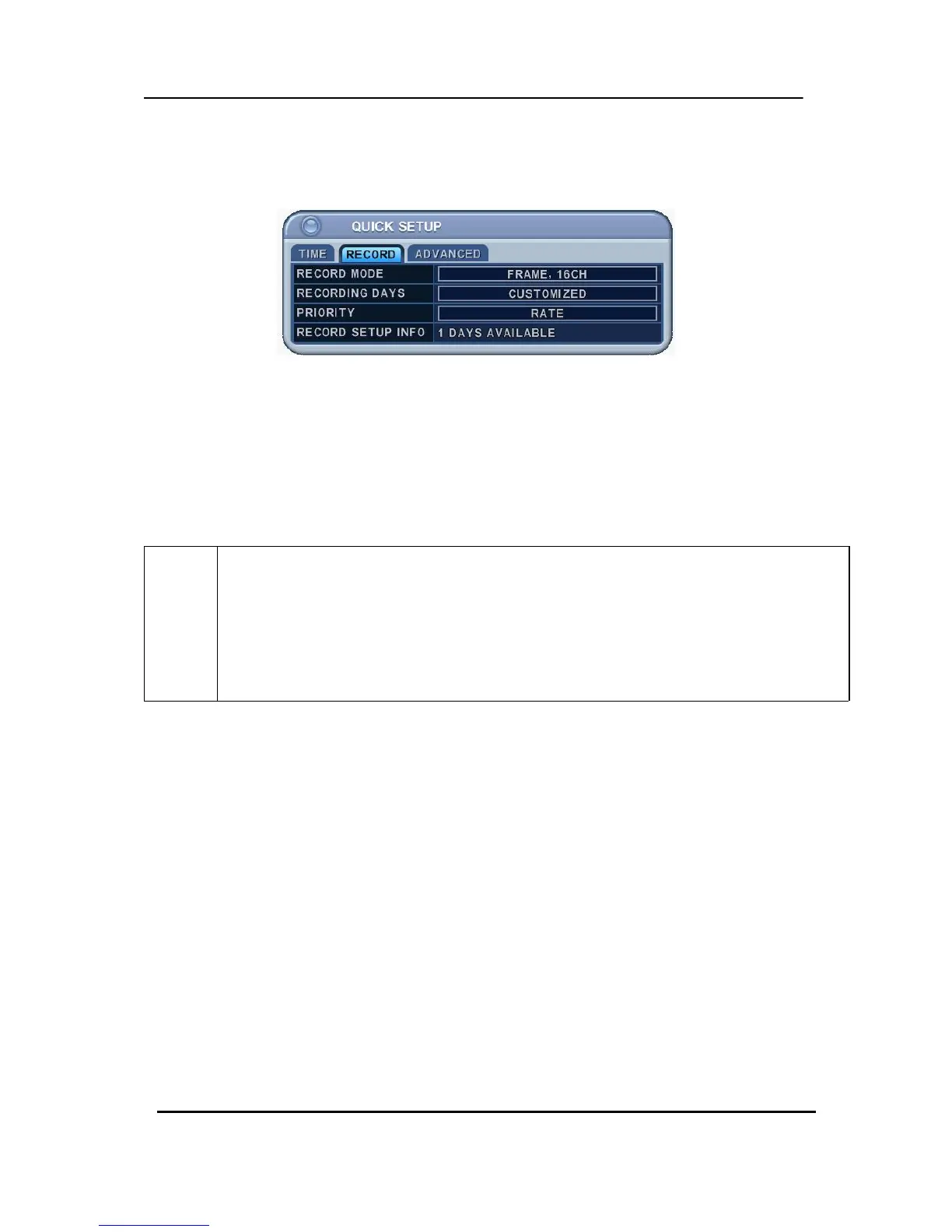
There is an easy setup for recording.
2-1. RECORD MODE
1) Select the “RECORD” menu tab using the directional buttons.
2) Select MODE by pressing the “–/+” buttons on the remote controller or the unit.
3) Press the [ENTER] button to exit a menu and save the changes. Press the [ESC] to
exit a menu without making changes.
RECORD
MODE
• CIF, 4/8Ch: Each channel records at CIF resolution: 360x240 (360x288).
• Field, 4/8Ch : Each channel records at Field resolution: 720x240 (720x288).
• Frame, 4/8Ch : Each channel records at Frame resolution: 720x480 (720x576)
•Frame + CIF:
Channel number 1 - 720x480 (720x576)+Channel number 2~8 - : 360x240 (360x280)
2.2. RECORD DAYS
1) Select RECORDING DAYS using the “–/+” buttons on the remote controller or the unit.
2) Press the [ENTER] button to exit a menu and save the changes. Press the [ESC] to
exit a menu without making changes.
2.3. PRIORITY
1) Select “RATE” or “QAULITY using the “–/+” buttons on the remote controller or the
unit.
2) “RATE” : DVR is automatically set up with a high recording speed mode.
3) “QUALITY” : DVR is automatically set up with a high picture quality mode.



 To Next Page