BDVR Manual 32 Version 1.2
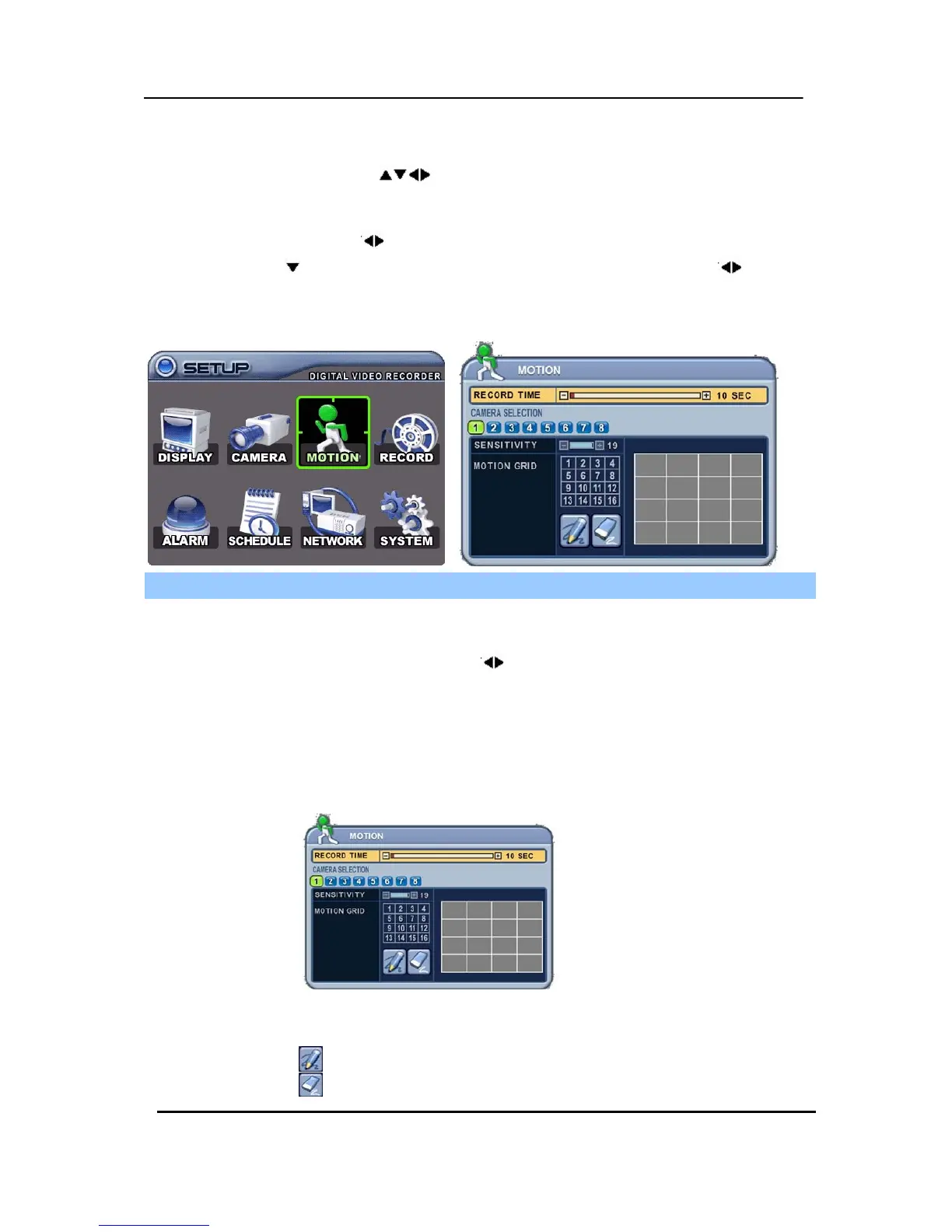
4. Motion Recording
1. Use the directional buttons [ ] to select “MOTION” menu. Then, press the [ENTER]
button to display “MOTION”.
2. Use the Left/Right buttons [
] or Number button to select the Camera you wish to configure.
3. Use the Down [
] button to move specified menu and use the Left/Right buttons [ ] to select
other items.
4. Use the [-, +] buttons to change values.
ITEM ADJUSTMENT
RECORD TIME
y Determines the recording duration when motion is detected.
[10SEC ~ 300SEC]
CAMERA
SELECTION
y Use the Left/Right buttons [
] or Number button to select the Camera you
wish to configure.
SENSITIVITY y Level 1: Low sensitivity~ Level 20: High sensitivity.
MOTION GRID
y Use this menu to setup zones for Motion Detection The screen shown below
will overlay over the current video image.
y Motion zones are set to OFF – and covered by a GREY mask.
y It is divided into 16 Grid and selectable by the Number button on IR Remote.
y : Select All.
y : : Cover All.



 To Next Page