BDVR Manual 38 Version 1.2
RECORDING
STATUS
USE
MOTION
OFF
OFF
RECORDING
STATUS
USE
MOTION
ON
OFF
6.3. Recording Priority
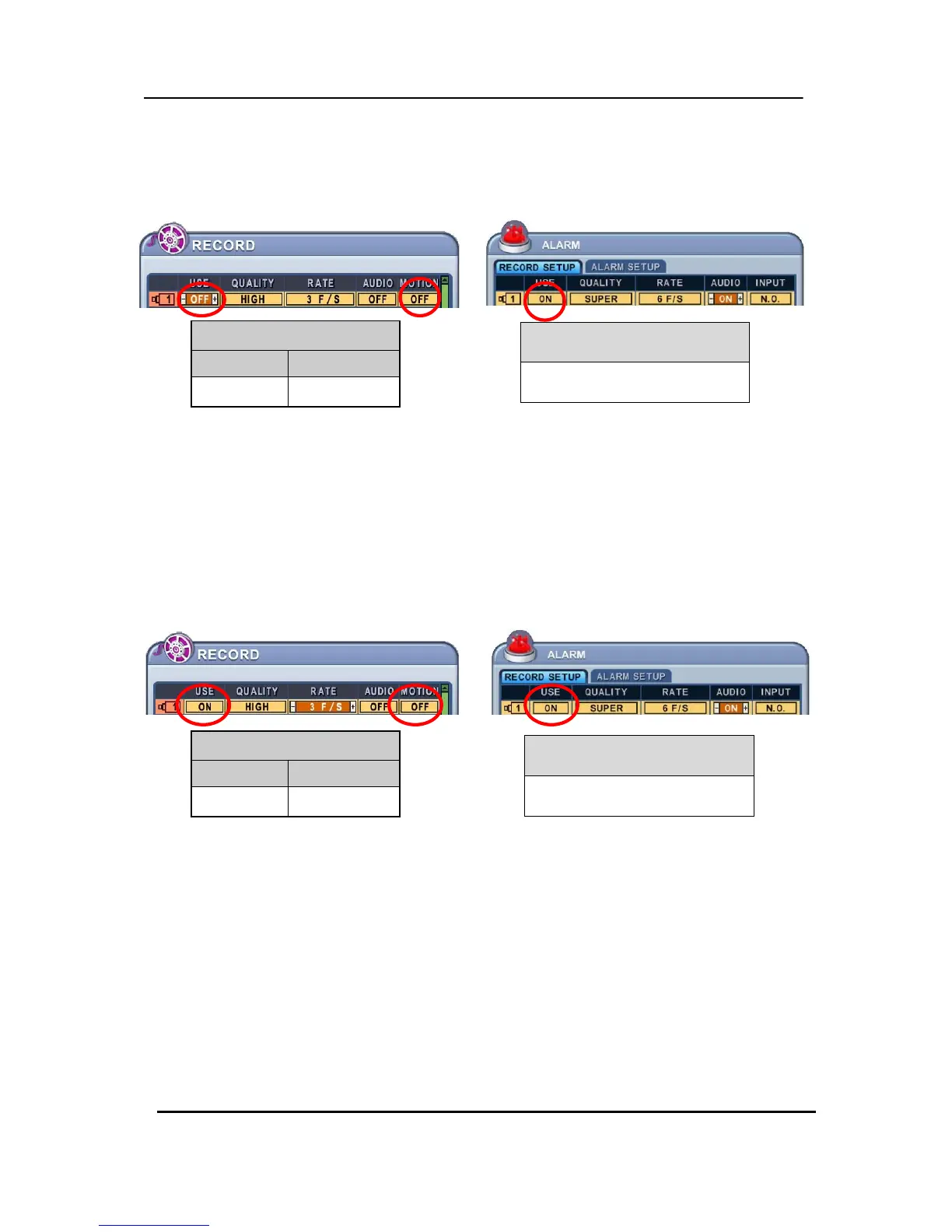
<Example 1>
z Resulting Actions:
Press the REC button to commence Alarm Recording, based on the configuration shown above.
(Recording Quality (Super), Frame Rate (6F/S) and Audio).
The system reverts back to stand by mode once alarm recording finishes.
The DVR system starts recording only when an alarm is activated.
<Example 2>
z Resulting Actions:
Press the REC button to commence continuous recording, based on the configuration shown
above (High picture quality at 3F/S without Audio).
If an alarm is triggered on this channel, the configuration changes to Super picture quality
at 6F/S with Audio. The system reverts back to continuous recording once alarm recording
finishes. Alarm Recording takes priority.
ALARM RECORDING STATUS
ON
ALARM RECORDING STATUS
ON



 To Next Page