BDVR Manual 40 Version 1.2
7. Schedule Recording
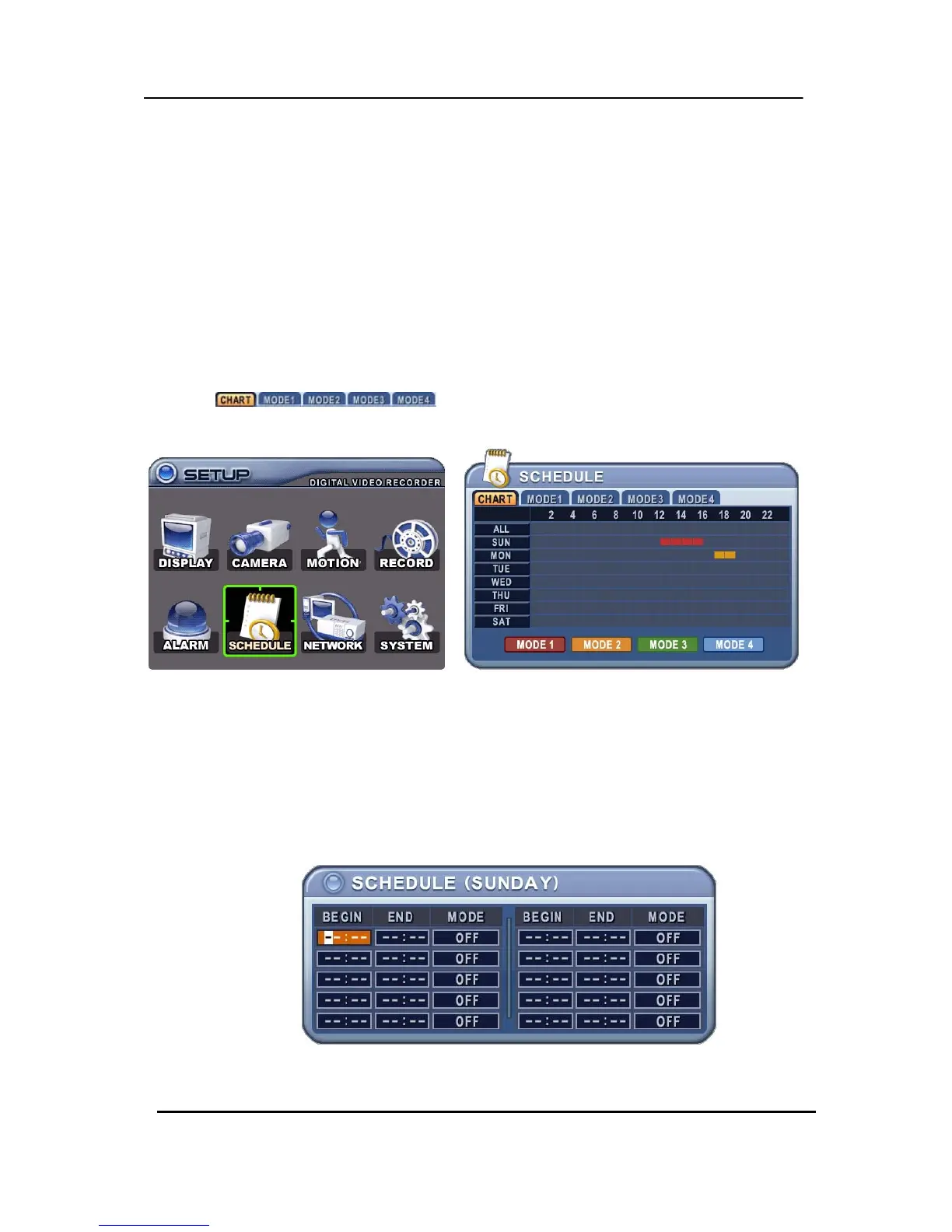
The schedule chart shows a graphical representation of the defined record mode: Mode1~4.
However, the schedules are only displayed if a corresponding schedule has been
configured in the schedule menu.
1. Use the directional buttons [STWX] to select “SCHEDULE” menu. Then, press the
[ENTER] button to display “Schedule Chart”.
2. Use the Left/Right buttons [WX] to select a menu tab
(
).
3. Use the Down button [T] to select the Day to be configured.
The schedule breaks down the days of the week into eight different categories: ALL,
SUN, MON, TUE, WED, THU, FRI and SAT. ALL is for everyday of the week. A
Daily schedule has priority over ALL.
4. Press the [Enter] button on one of the eight categories. A detailed menu pops up
for the selected Day, as shown below.



 To Next Page