BDVR Manual 29 Version 1.2
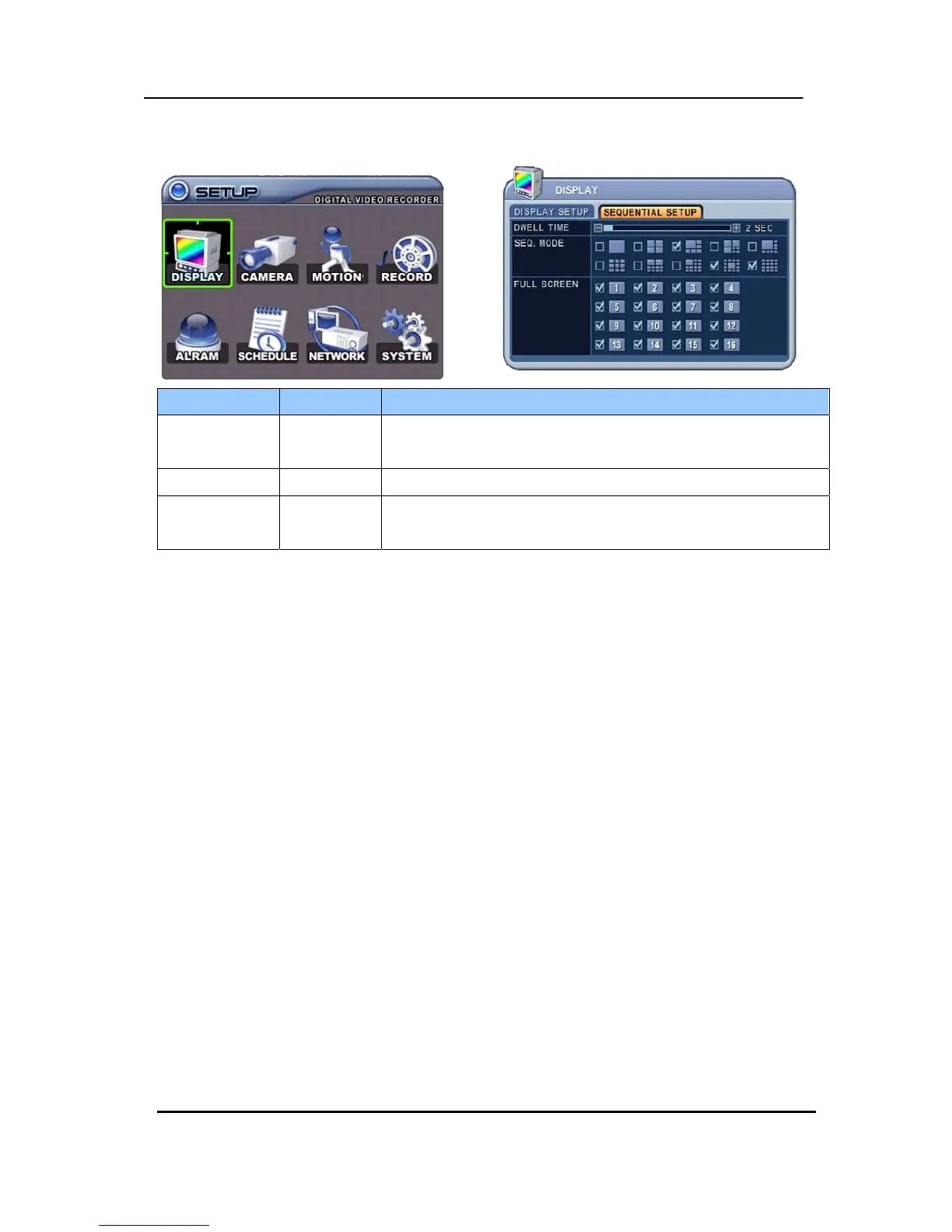
2.2. Sequential Setup (Auto Sequence)
ITEM DEFAULT ADJUSTMENT
DWELL TIME
2 Sec y Specify the dwell time of each camera or Multi-screen display.
Use the
[-, +] button : [1 second ~ 30 second]
SEQ. MODE None y Select desired sequence mode for switching.
FULL SCREEN
ALL y Select the cameras to be included or excluded from the
automatic sequencing.



 To Next Page