BDVR Manual 45 Version 1.2
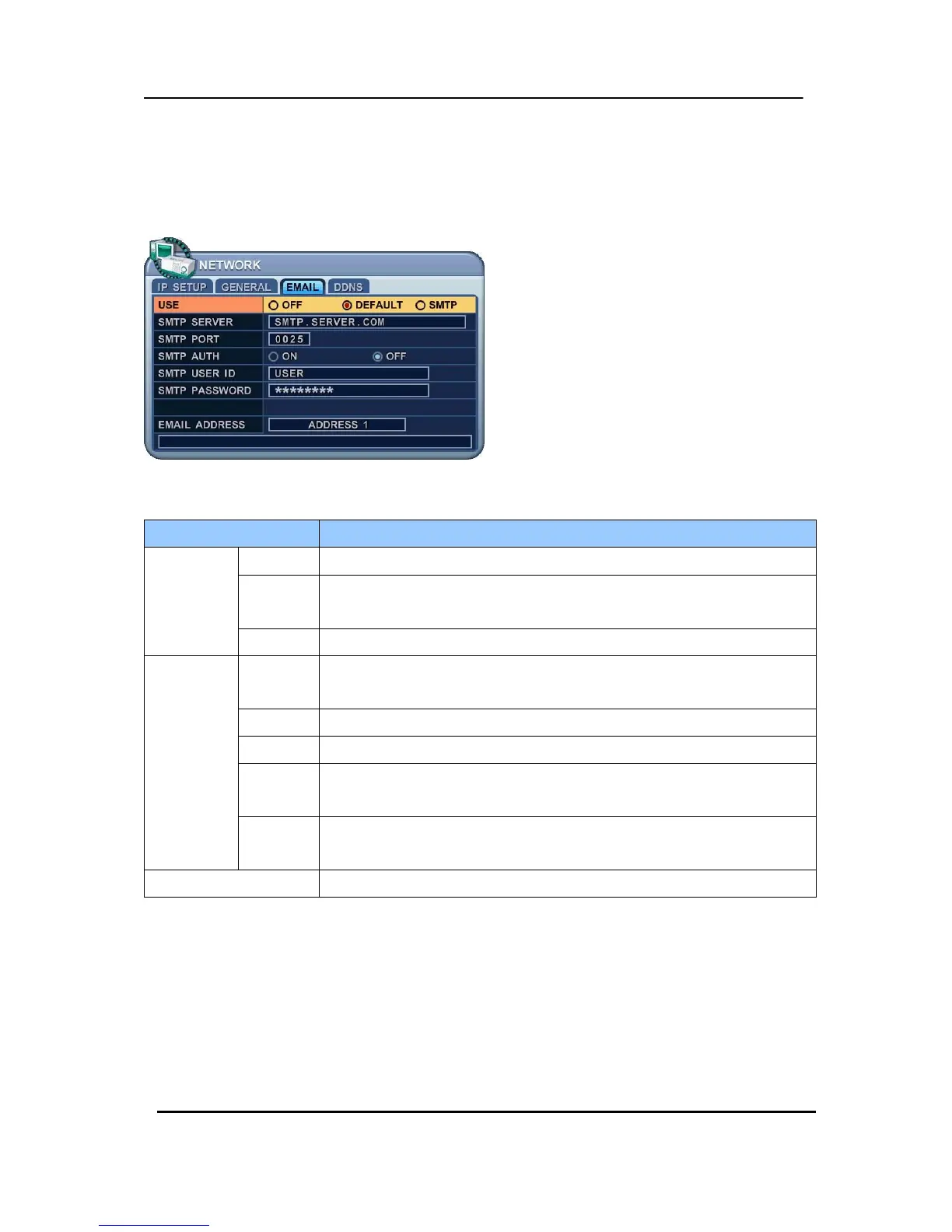
8.2. E-Mail
The DVR is capable of sending e-mails, when an event occurs, to up to 5 different e-mail
accounts: Events are Alarm , Video Loss, Power Loss (when power recovers), HDD Failure.
There are two methods of sending an e-mail; Using “Unique” or “Public/ your own mail
server”.
ITEM
ACTION
USE
OFF
y Select the e-mail notification state: on or off. The default is off.
Default
y Select the manufacturers default mail server.
: You do not need to setup SMTP server.
SMTP y Select a SMTP mail server and then setup the SMTP menu below.
SMTP
Server
y Select Highlight SMTP Server and then press numeric buttons to define
an e-mail server.
PORT y Define the port that the SMTP server will communicate through.
AUTH y Select Authentication: on or off. The default is off.
USER ID
y Enter the user ID of the Mail Server if your server needs Authentication.
(It’s recognised as lower case letters, even if displayed as capital letters)
Password
y Enter the password, if your server needs Authentication.
(It only recognises lower case, we do not support capital letters)
E-mail Address y Enter an e-mail address to send the notifications to.



 To Next Page