BDVR Manual 97 Version 1.2
4.3. Editing Virtual DVR
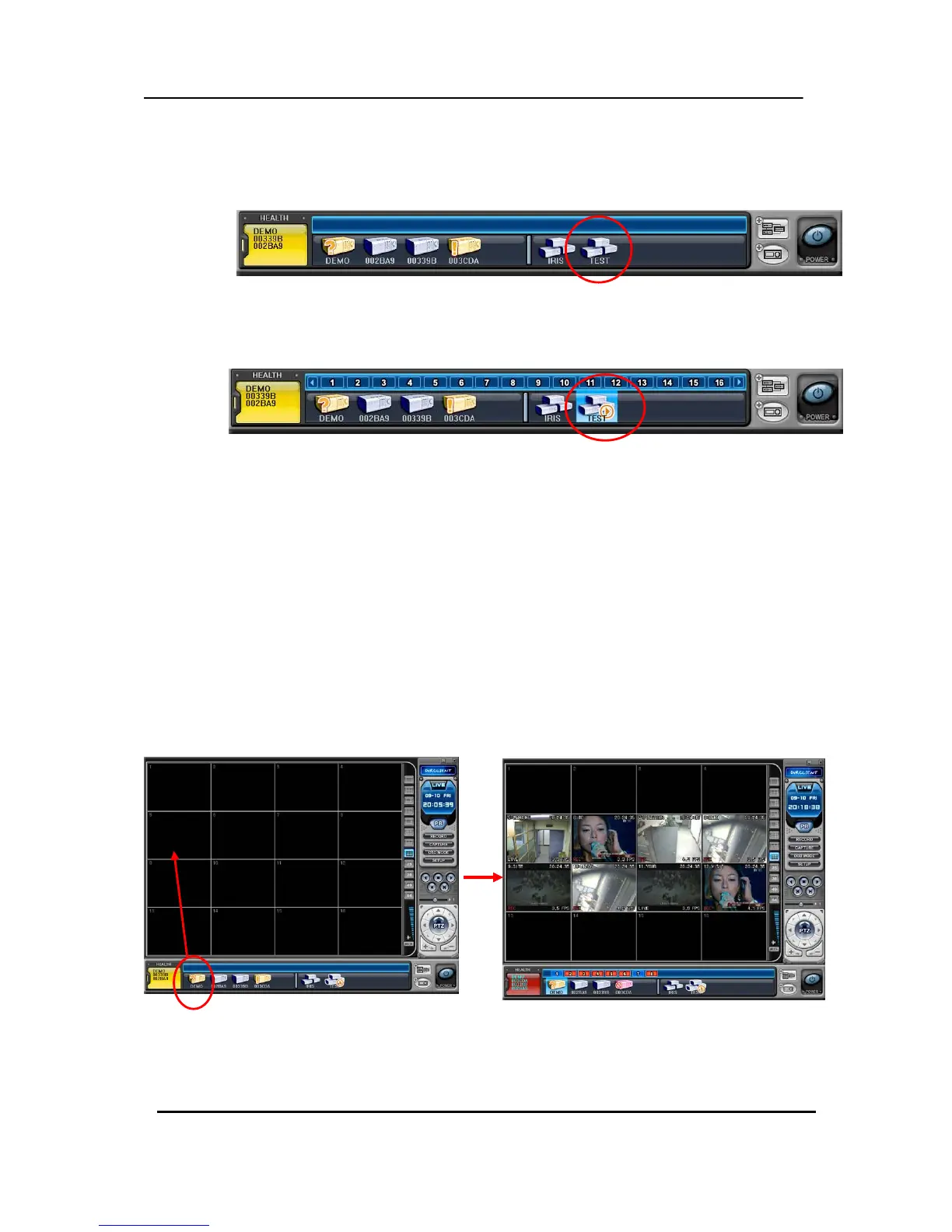
(1) Double click the desired Virtual DVR .
(2) The selected Virtual DVR is activated and indicated with “ ▷ “
(3) Select any of the Multi-Screens to Display.
There are two ways to add cameras: one selects a complete DVR and the other selects an individual
camera from a DVR.
1) Complete DVR cameras.
① Click the desired DVR and directly drag it into the desired channel.
② The cameras are added in numeric order from the selected channel to the end; depends on
the number of cameras connected on the DVR.
In the following example, an 8-Channel DVR is dragged to channel number 5, and fills 5 through 12.
2) Any selected camera on a DVR.
① Click on any DVR in the DVR Window while Virtual DVR is activated.
CH 5
CH 12
CH 5



 To Next Page