BDVR Manual 69 Version 1.2
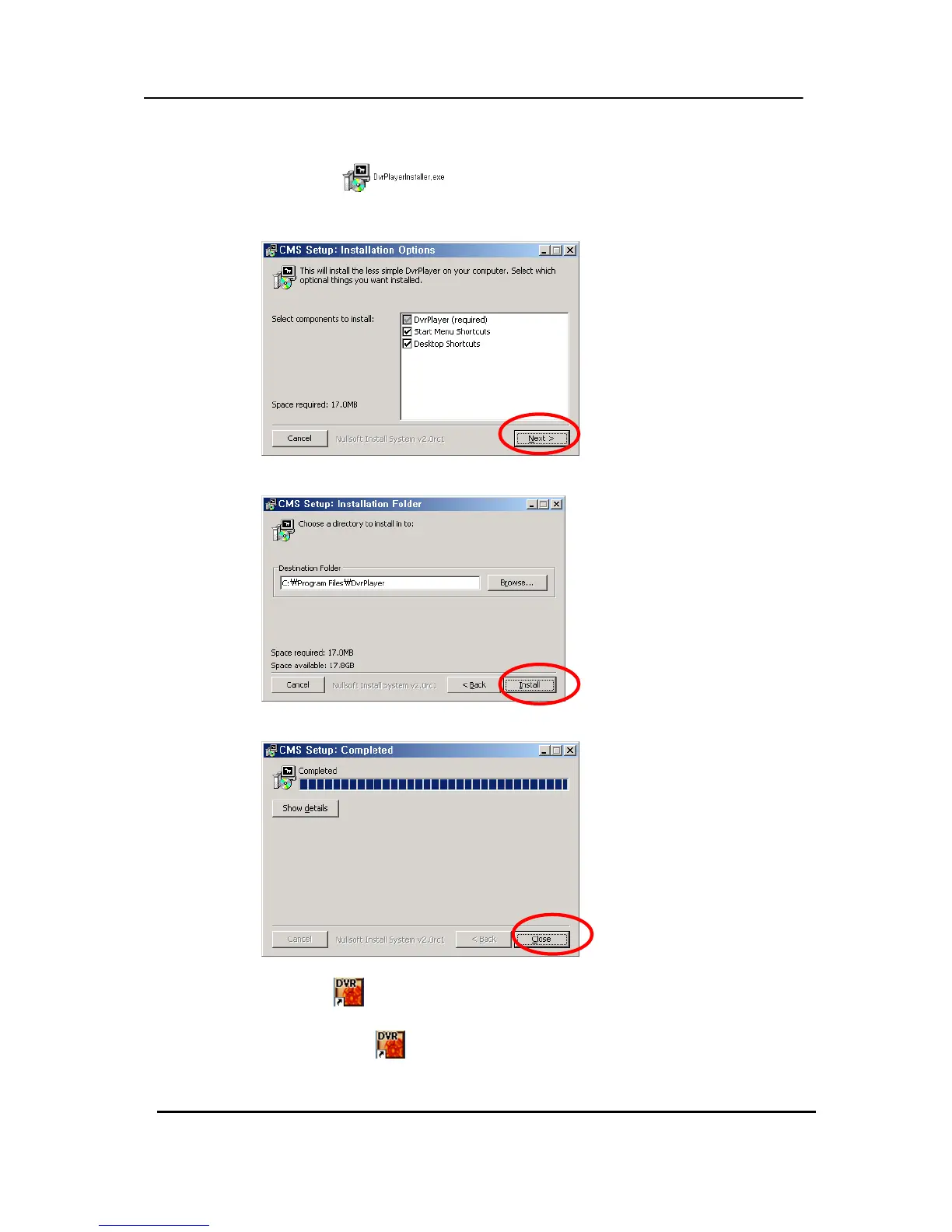
(1) Insert “Client Install CD” into the CD-ROM of your PC and Find “DvrPlayerinstaller.exe”
and double click
.
(2) Click the「NEXT」 button – see below:
(3) Click the「Install」button, or, designate a directory for the install then Click “Install”.
(4) Click the「Close」button after the message shown below appears.
(5) The CMS ICON
will be displayed on the PC desktop.
(6) Double click the ICON
to start and enter the password to access.



 To Next Page