19 DIGITAL VIDEO RECORDER
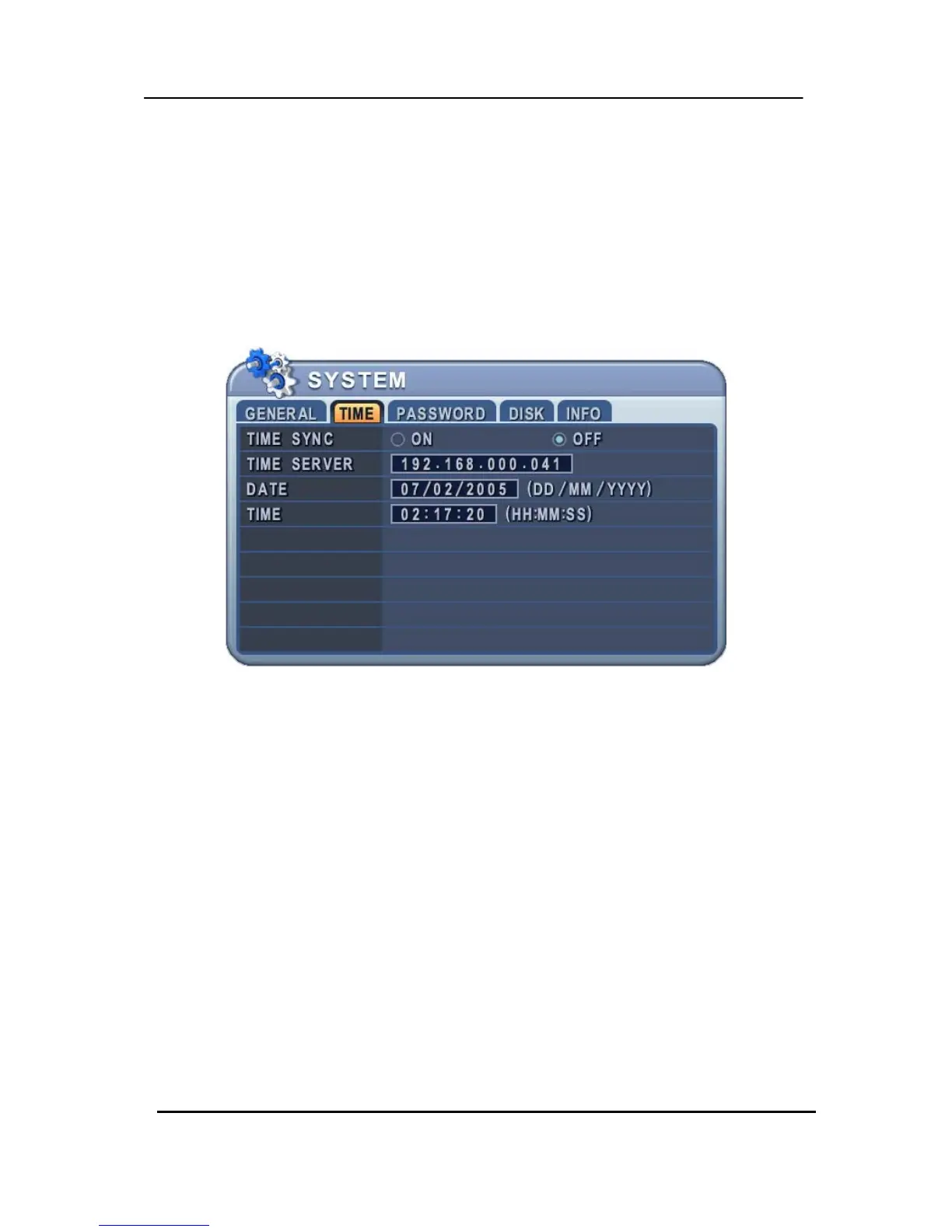
Time & Date Setting
When the DVR is powered on for the very first time, the time and date are set as default to January 1,
2006 Sunday 01:00:00. Before any other operation of the Digital Video Recorder, it is important to
setup the time and the date. Please refer to page 41 for setting the time and the date on the DVR.


 To Next Page