23 DIGITAL VIDEO RECORDER
4. Zooming
During live view mode or playback, it is possible to zoom into a section of the screen to get a
close-up view of the screen.
1. To activate the digital zoom, select the full screen display of the camera you wish to
zoom.
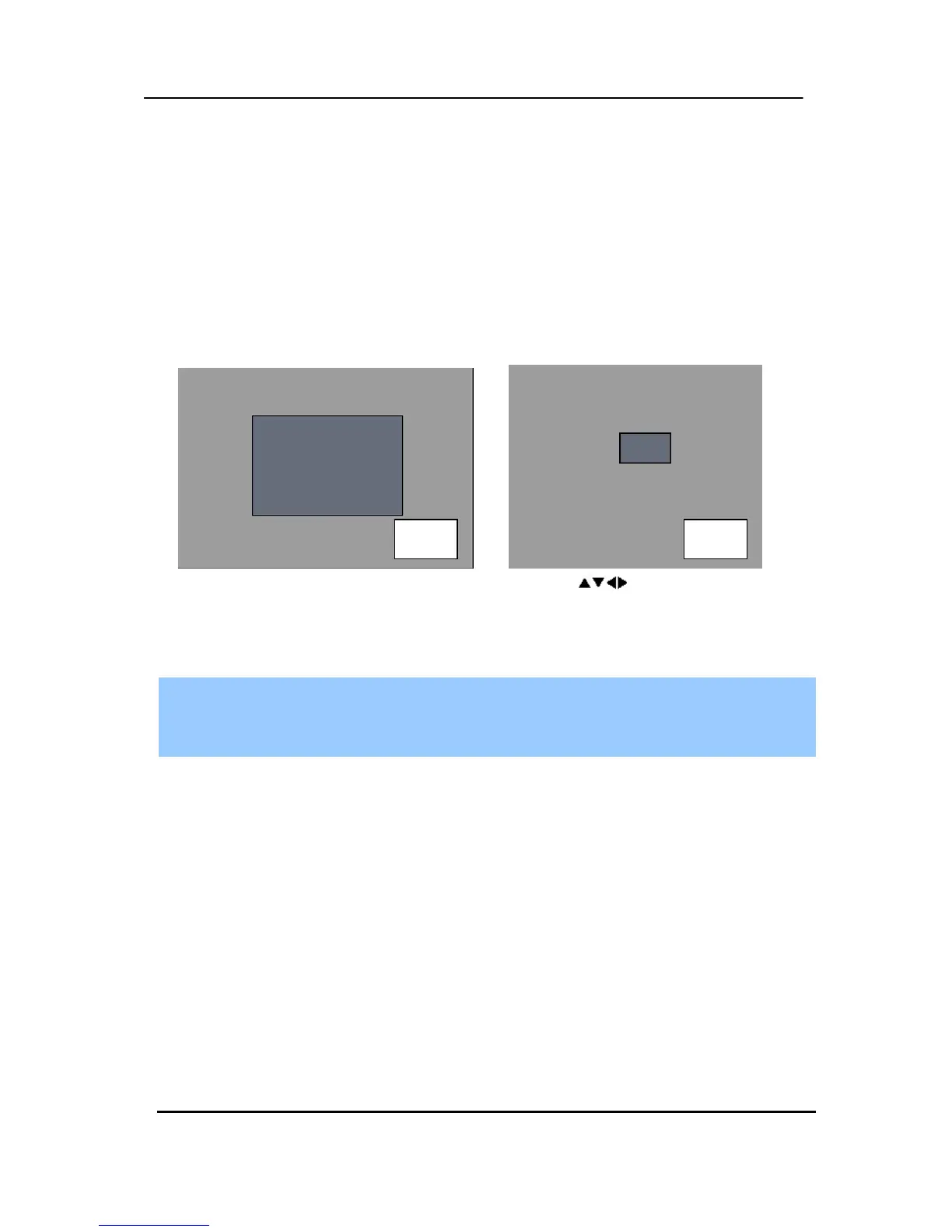
2. Then press the [ZOOM] button on IR Remote controller. Zoom area box pops up, as
shown below.
3. Move the box to the desired position using Direction [
] buttons.
4. Press [+] button to enlarge the image. Press [ - ] button to zoom out the image.
5. Press [CANCEL] button to return normal mode.
<Note>
If the Zoom button is pressed while in a multiscreen display, zoom operation is not
activated.
4. Spot Monitor
In addition to the Main Monitor, attaching a Spot Monitor enables user to monitor specific
channels independently form the main monitor
y Press [Spot] button on the remote controller, then press number button you wish watch as
full screen.
y Press [Spot] button twice to auto switch cameras. Sequence interval can be set from the
Sequential Setup.
y When an alarm has been triggered, that specific channel will go into Full Screen.
x 2 x 8


 To Next Page