91 DIGITAL VIDEO RECORDER
4.3. Editing Virtual DVR
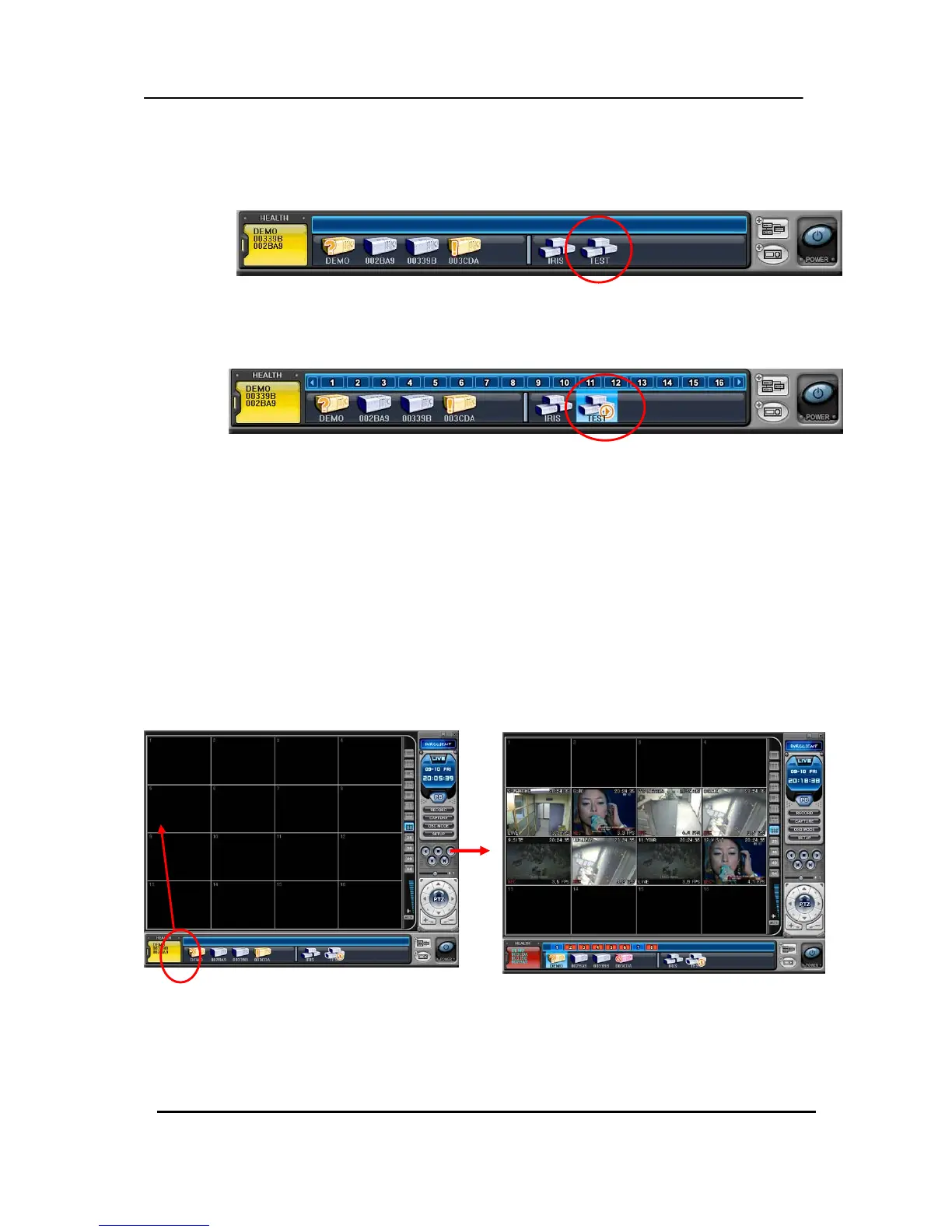
(1) Double click the desired Virtual DVR .
(2) The selected Virtual DVR will be activated and it is indicated with “ “ ▷
(3) Select any of Multiscreen to Display.
There are two way to add cameras: one is Whole DVR and the other is selected camera on each DVR.
1) Whole cameras of desired DVR .
Click the desired DVR to directly drag the desired channe① l.
The camera will be added in numeric order from selected channel to end, depends on ②
connected number of cameras on DVR.
In the following exampels, 8ch DVR draged to channel Number 5
CH 5
CH
5
CH 12



 To Next Page