22 DIGITAL VIDEO RECORDER
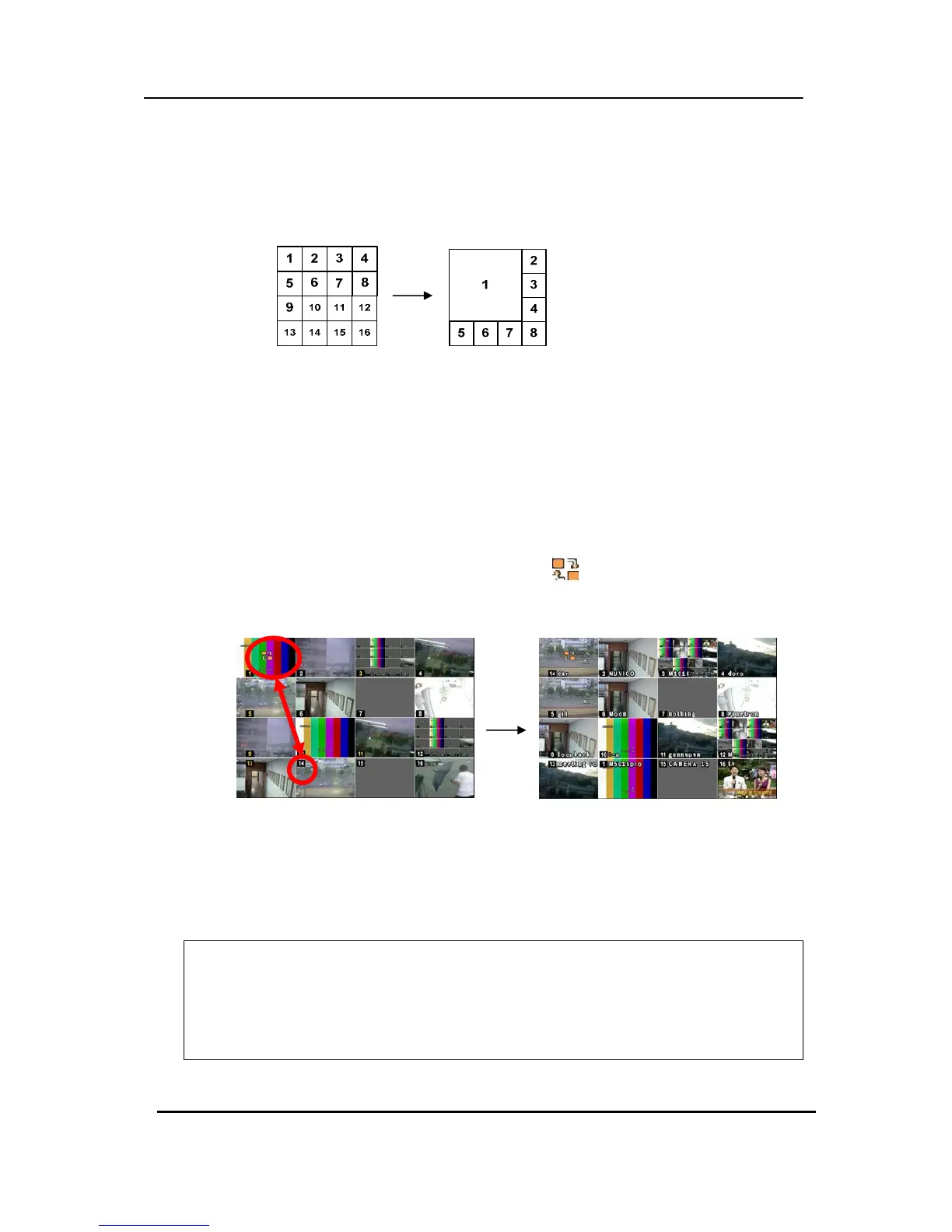
3. Quick button for multi screen Display.
1) Press F1 button on the remote controller + <Number>
For example, press F1 button then number 8.
The eight channel view mode will be displayed.
<Note> 6,4,8,10,13 split mode must be checked on <Spit mode> to use this
function.
2) Repositioning
It is possible to reposition the camera from the bigger window with the one from a
smaller one. It is used on 6,7,8,9,10, 13,16 split mode
① Press F2 button on the remote controller.
Mark will be displayed.
② Press Numeric button you wish to switching display.
③ Press [Enter] button to exit here with saving changes.
Press [Cancel] to exit without change.
Press [Menu] button to rearrange.
<Note> How to control on KEYPAD
1. Muliti Screen (F1 function) = 16+ Display , 4+ Display button, and so on..
2. Repositioning (F2 function) = 99+ Display button
3. Auto Sequence Start = Shift & Display(at the same time)



 To Next Page