63 DIGITAL VIDEO RECORDER
1.2. How to Install
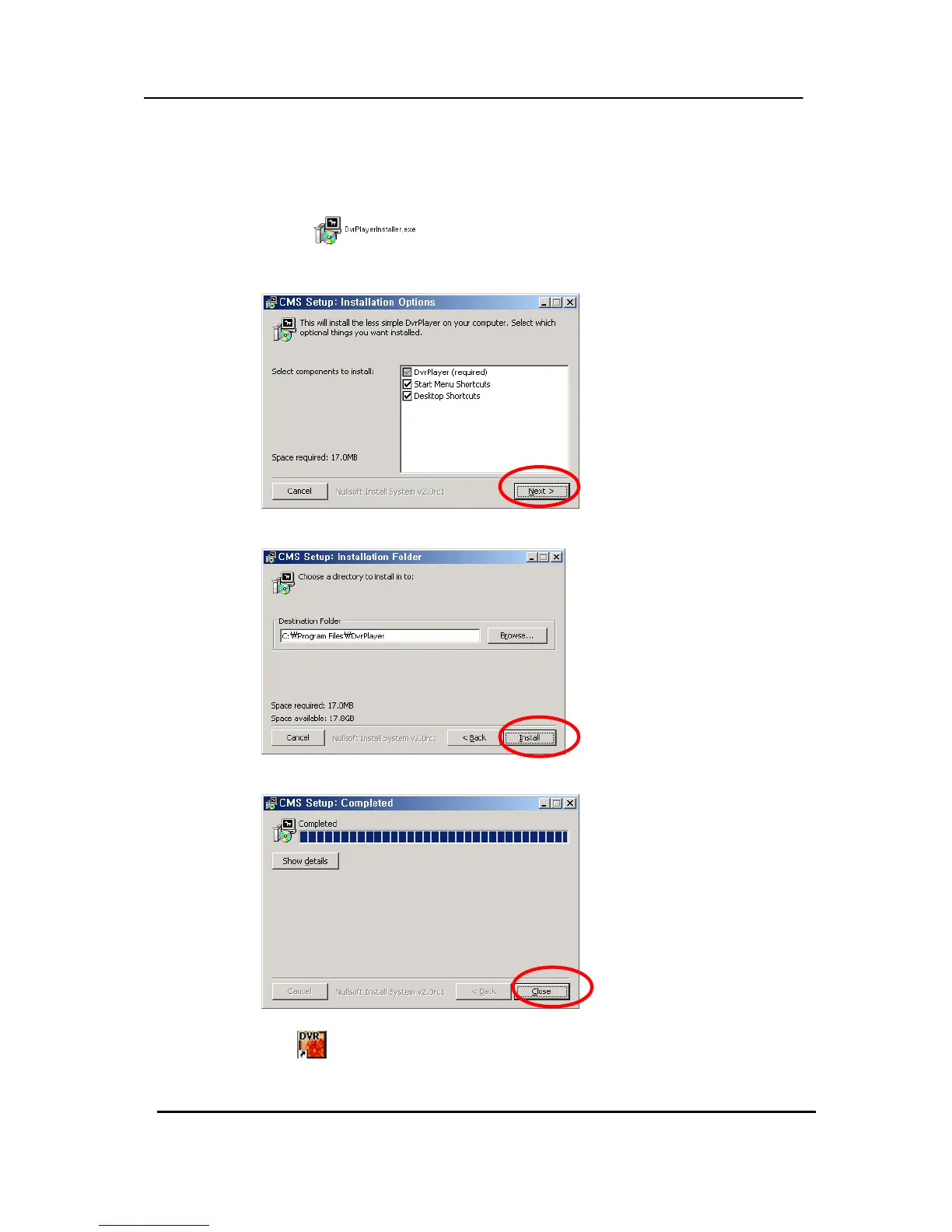
(1) Insert “Client Install CD” to CD-ROM of your PC and Find “DvrPlayerinstaller.exe” and
double click
.
(2) Click 「NEXT」 button below:
(3) Click 「Install」. Otherwise, designate a directory for Install then Click “Install”.
(4) Click 「Close」Button after below images appears.
(5) The ICON
of CMS will be displayed on your desktop.



 To Next Page