49 DIGITAL VIDEO RECORDER
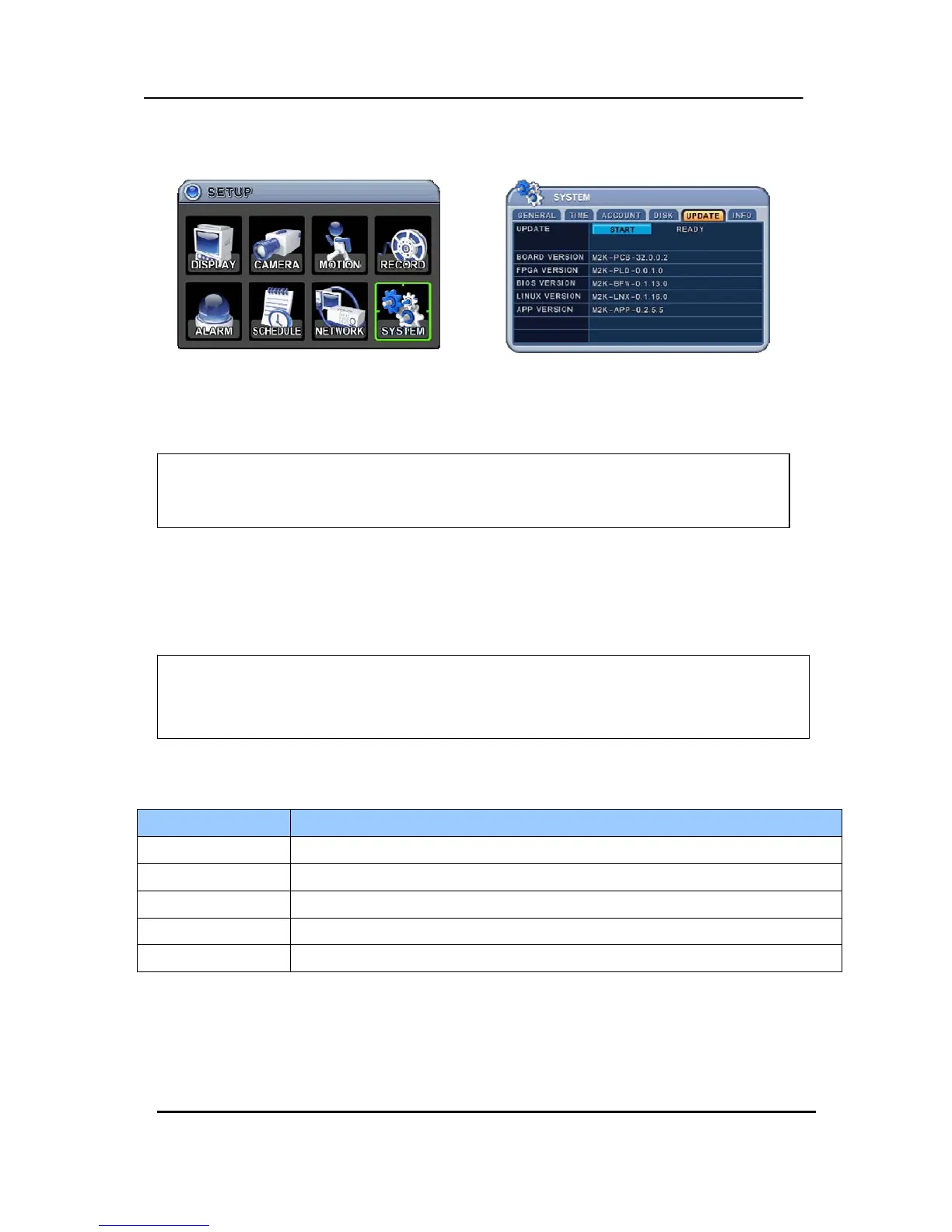
9.5. UPDATE.
1) Download the latest firmware file and copy to USB Flash memory stick in the Root Folder.
(I mean do not make a special folder into memory stick for these files.)
2) Turn on the S sereis (If you are using, please stop the recording)
3) Plug into Front USB.
4) Move to upgrade menu and start upgrade by pressing [+]/[enter] button.
5) Wait until upgrade finished and show “Success” message, then Press [+] to restartt.
Indicator CONDITION
BOARD VERSION y Shows the Main PCB version of this unit.
FPGA VERSION y Shows the FPGA version of this unit.
BIOS VERSION y Shows the Bios version of this unit.
LINUX VERSION y Shows the Linux version of this unit.
APP VERSION y Shows the Application version of this unit.
NOTE1 : Do not format the USB at window, just remove all files inside.
NOTE2: Do not switch OFF or PRESS any key during the upgrade process.
NOT



 To Next Page