55 DIGITAL VIDEO RECORDER
VII.SEARCH/ PLAYBACK
1.Time Search
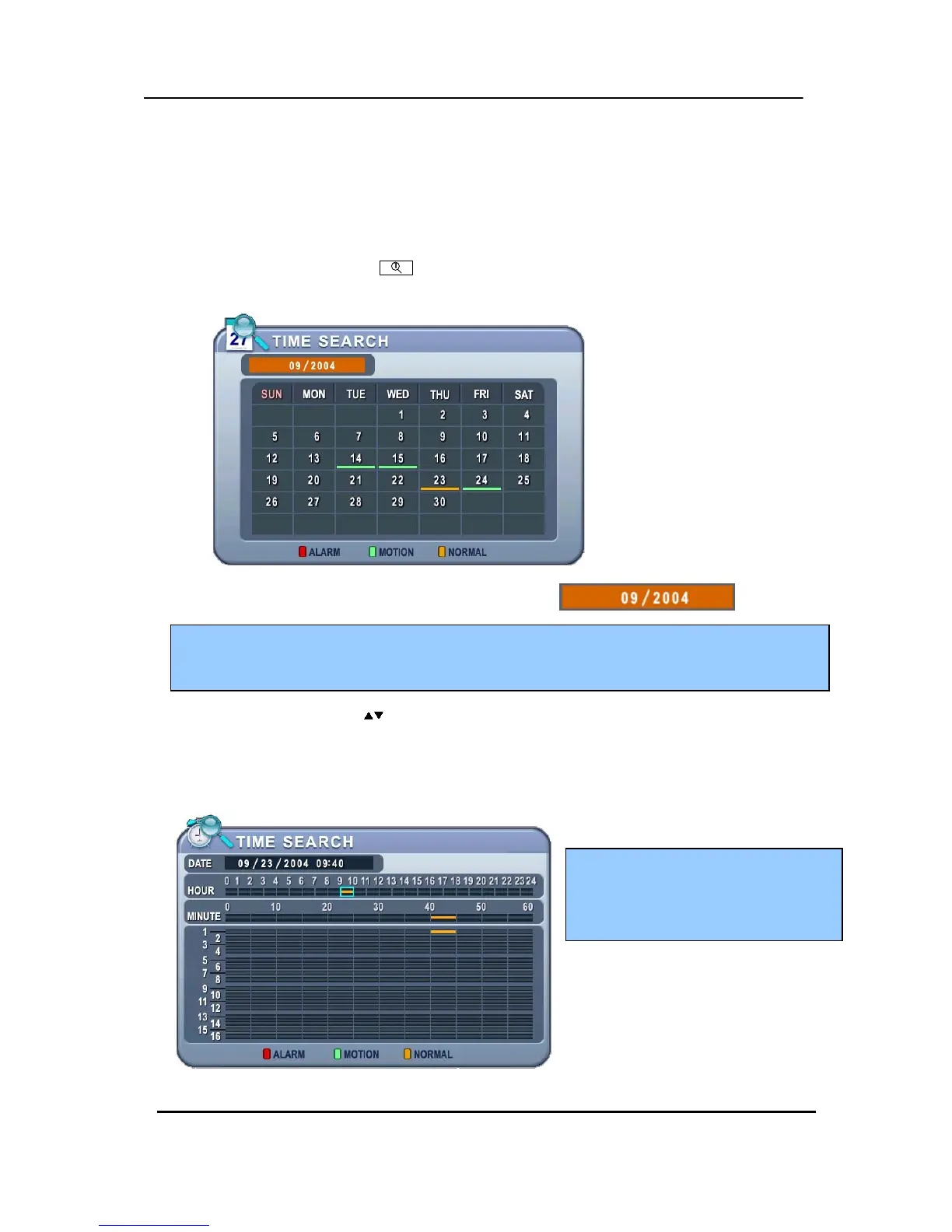
1. To start playback, press [Time Search] button, Time search Calendar Menu
pops up, as shown below.
2. Use Left /Right button to change select Month on .
3. Use Up/Down buttons [ ] to select “DAY” on Calendar. Selected data will be shown as a
graphical representation of the recorded video stored on the DVR.
4.
Select “Hour and Minutes“ or ”the camera” you wish to playback. Then press [ENTER]
button.
5. Press [ENTER] button to start playback.
<Note> It will not be changed if there are no stored data on previous/next month.
<Note> The data are color-coded by category: Alarm(Red) > Motion(Green) > Normal (Yellow)
<Note>
Time : Mulitscreen Display
Camera : Full screen Display



 To Next Page