46 DIGITAL VIDEO RECORDER
picture.
RUN ON BOOT
y If you tick “Normal Recording”, the unit will save the previous recording setup
value after Rebooting. For example, you shutdown the DVR in this “Normal
Recording” mode, the unit will be still in recording mode when you turn on the
DVR. And if you choose “Schedule Rec”, the unit will be in schedule recording
mode.
PASSWORD ON
y if you choose “OFF”, The password window will not be shown except
POWER/ SERVICE MENU/ RECORDING STOP/ SCHEDULE RECORDING
STOP.
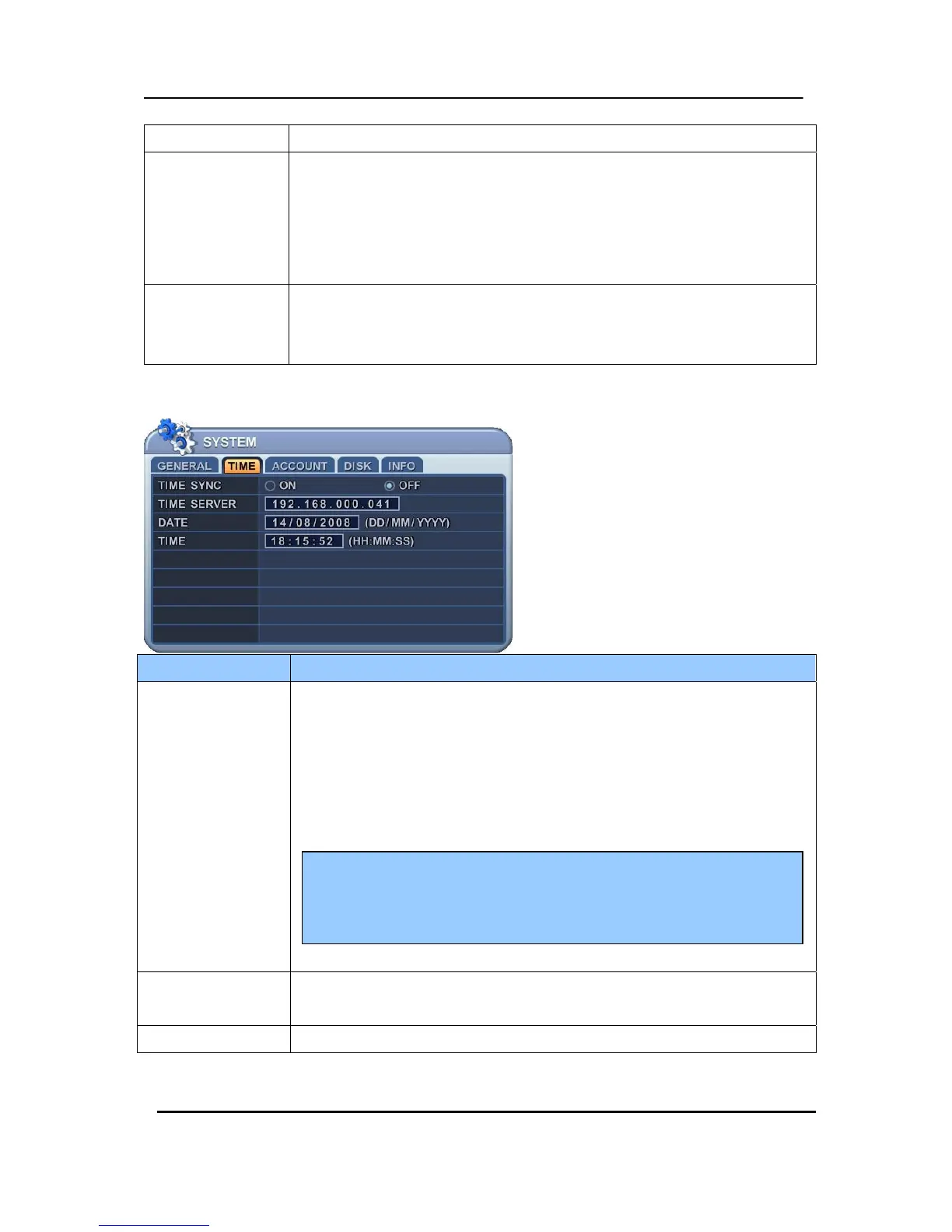
9.2. Time
ITEM ADJUSTMENT
TIME SYNC
If several DVRS are installed and connected via network, one of the DVRs or
PC may be set as the master clock. This unit will control the date and time for
all of the other units.
y ON: It is set as the Slave Clock.
y OFF(Default): Master Clock or The unit which does not use Time Sync
Function.
TIME SERVER
y Enter the IP of Master clock DVR or PC when the unit is set as [ON] on Time
Sync Menu.
DATE & TIME y Enter the Date and Time.
Install “DVR TimeSynclnstller.exe “. It starts automatically.
The DVR will communicate though “UDP4014 Port” with Window for
TimeSync at every 10 sec.



 To Next Page