36 DIGITAL VIDEO RECORDER
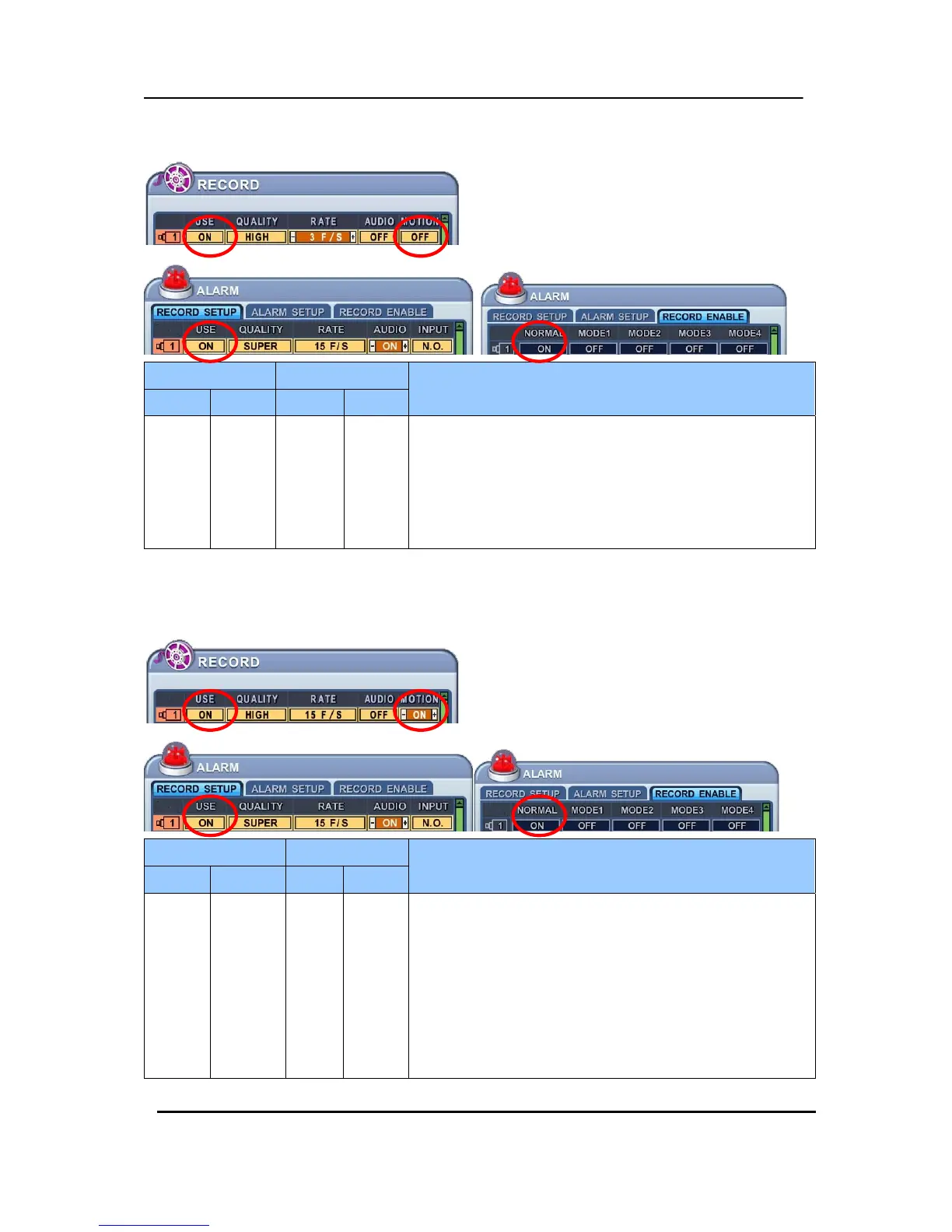
<Example 2>
RECORD Alarm
Resulting Actions
Normal Motion USE Normal
ON OFF ON ON
Press the REC button, then Normal recording starts with
High picture quality at 3F/S without Audio. When Alarm is
triggered on this channel, it changed to record with Super
picture quality at 15F/S with Audio. It will be back to Normal
Recording after Alarm recording duration time is end.
<Example 3>
RECORD Alarm
Resulting Actions
Normal Motion USE Normal
ON ON ON ON
Press the REC button, then Motion recording starts with
High picture quality at 3F/S without Audio when Motion
detected. When Alarm is triggered on this channel, it
changed to record with Super picture quality at 15F/S with
Audio. It will be back to stand-by for Alarm or Motion after
Alarm recording duration time is end. Camera does not
record under normal conditions.



 To Next Page