38 DIGITAL VIDEO RECORDER
5. Enter the beginning and end time, then select Record mode to record.
(1) BEGIN: The time of recording start.
(2) END: The time of recording end. The ending time must not be before the starting
time or the same as the starting time. It must be any time over the starting time.
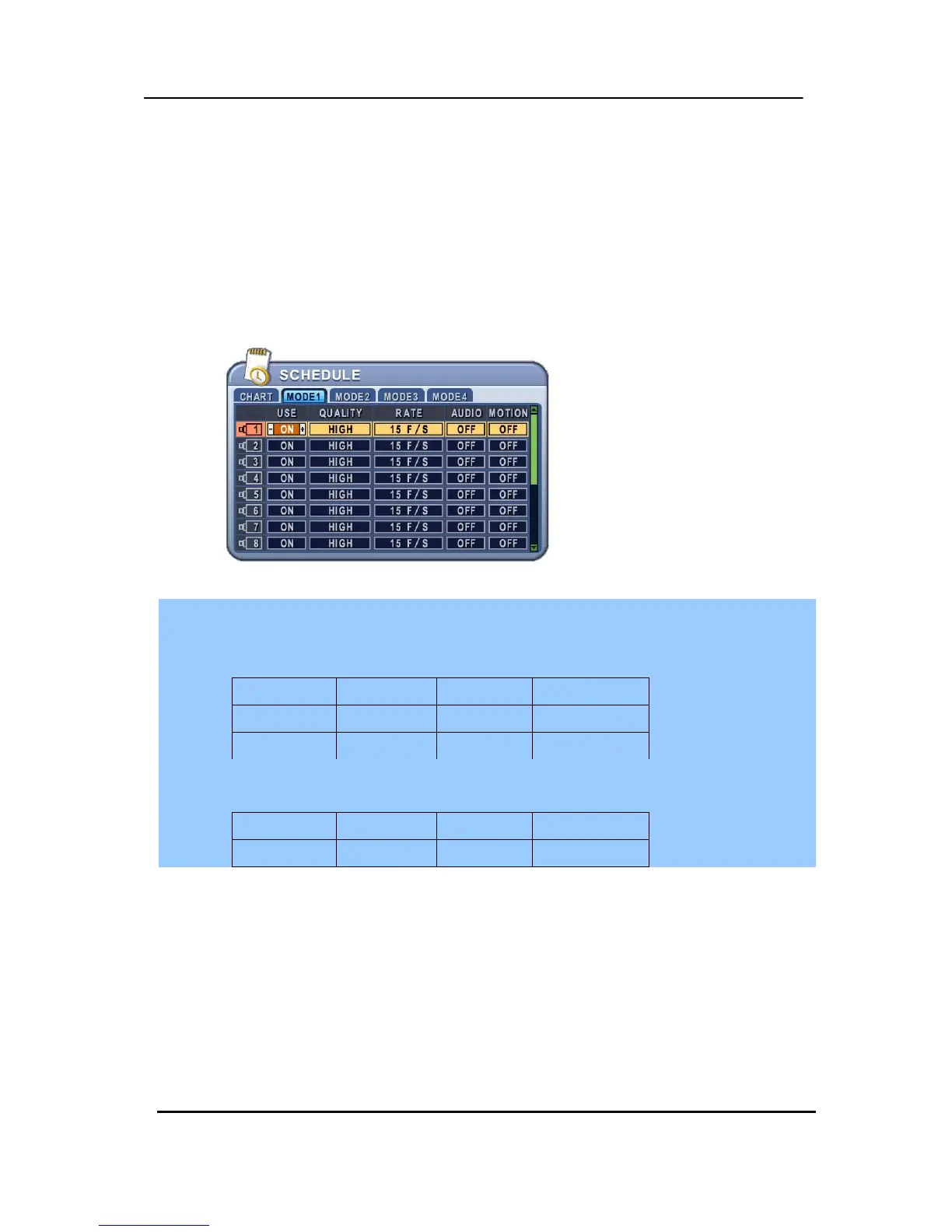
(3) MODE: Up to 4 different recording modes can be pre-determined for schedule
recording. (MODE1 ~ MODE4)
6. Define modes below.
* Refer to Basic Recording for set up
<Note>
y The recording time is set by 24H(00:00 - 23:59). You need to set 2 days if the setting is over
one day.
D/W BEGIN END MODE
Monday 18:00 23:59 MODE 1
Tuesday 00:00 08:59 MODE 1
y The recording would not start when Ending time is ahead of Start time.
EX)
D/W BEGIN END MODE
Monday 18:00 08:59 MODE 1
7. To activate the schedule recording after setting, press the SCHEDULE button. The
SCHEDULE indicator illuminates. When a program covers the current time, the
REC indicator illuminates and the unit begins recording. Please note that if there
are no schedules configured, then the DVR will not record.
8. When the scheduled recording time is over, the REC indicator goes off and
recording stops.
9. If you wish to stop recording while scheduled recording, press the SCHDULE
button, then the SCHEDULE indicator goes off and the Schedule Recording Mode
is released.



 To Next Page