May 2018 Service Manual
Quarterly Maintenance Procedures
Part No. 1275811GT GR
™
• QS
™
R • QS
™
W 31
Q-13
Test the Drive Brakes
Genie specifications require that this procedure be
performed quarterly.
Proper brake action is essential to safe machine
operation. The drive brake function should operate
smoothly, free of hesitation, jerking and unusual
noise. Hydraulically-released individual wheel
brakes can appear to operate normally when not
fully operational.
Note: Perform this procedure with the machine on
a firm, level surface that is free of obstructions.
Note: The platform extension deck must be fully
retracted and the platform in the stowed position.
1 Mark a test line on the ground for reference.
2 Turn the key switch to platform control and pull
out the red Emergency Stop button to the on
position at both the ground and platform
controls.
3 Lower the platform to the stowed position.
4 Choose a point on the machine; i.e., contact
patch of a tire, as a visual reference for use
when crossing the test line.
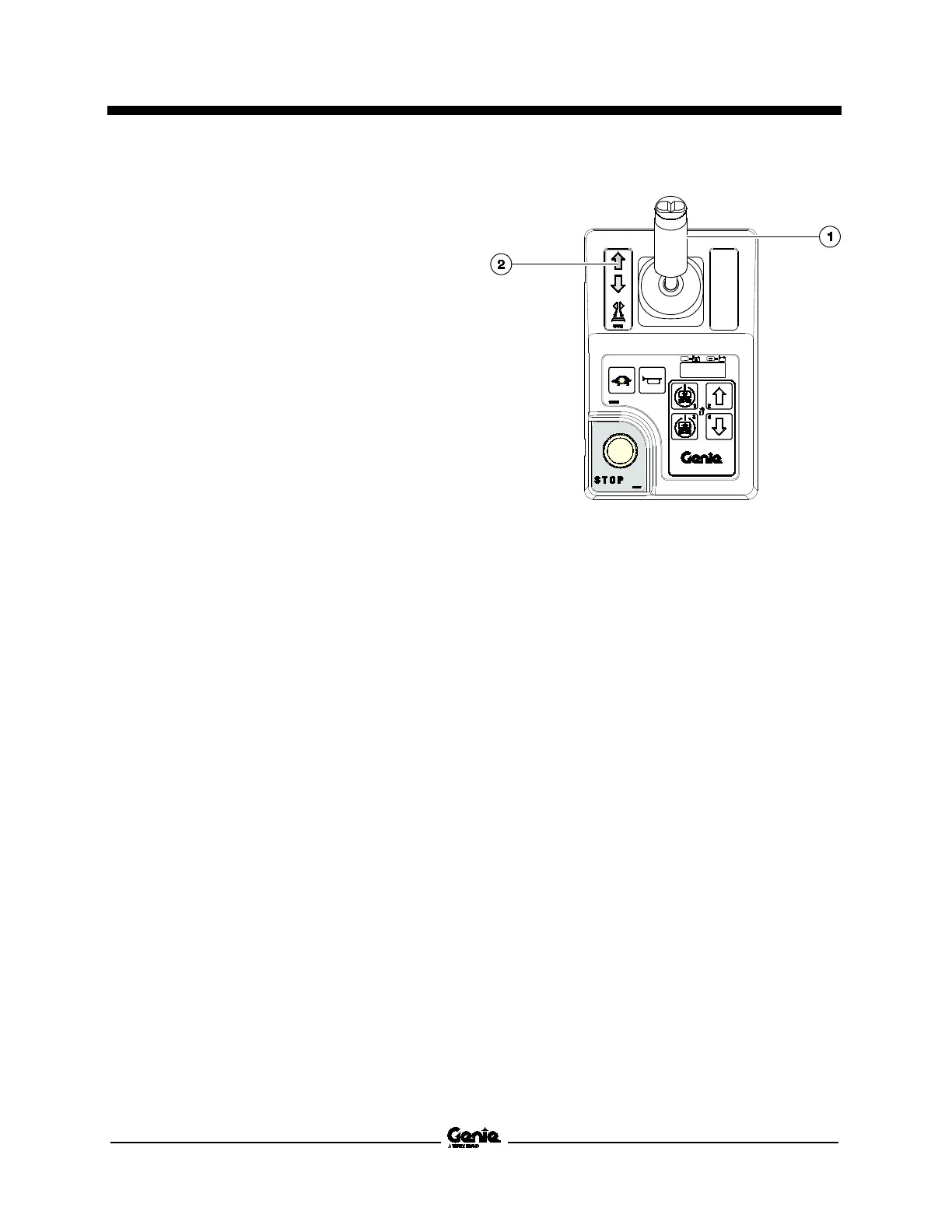
5 Press and hold the drive/steer function enable
switch on the control handle.
1 drive /steer function enable switch
2 blue arrow
6 Move the control handle in the direction
indicated by the blue arrow on the control
panel until the machine begins to move
forward.
7 Bring the machine to top drive speed before
reaching the test line. Release the drive/steer
function enable switch or the joystick when
your reference point on the machine crosses
the test line.
8 Measure the distance between the test line
and your machine reference point. Refer
Specifications, Performance Specifications.
Note: The brakes must be able to hold the machine
on any slope it is able to climb.


 To Next Page