May 2018 Service Manual
Ground Controls
Part No. 1275811GT GR
™
• QS
™
R • QS
™
W 49
2-1
Software Revision Level
How to Determine the Revision
Level
The machine software revision level is displayed at
the ground controls LCD display.
1 Turn the key switch to the ground controls or
platform controls position. Pull out the red
Emergency Stop button to the on position at
both ground and platform controls.
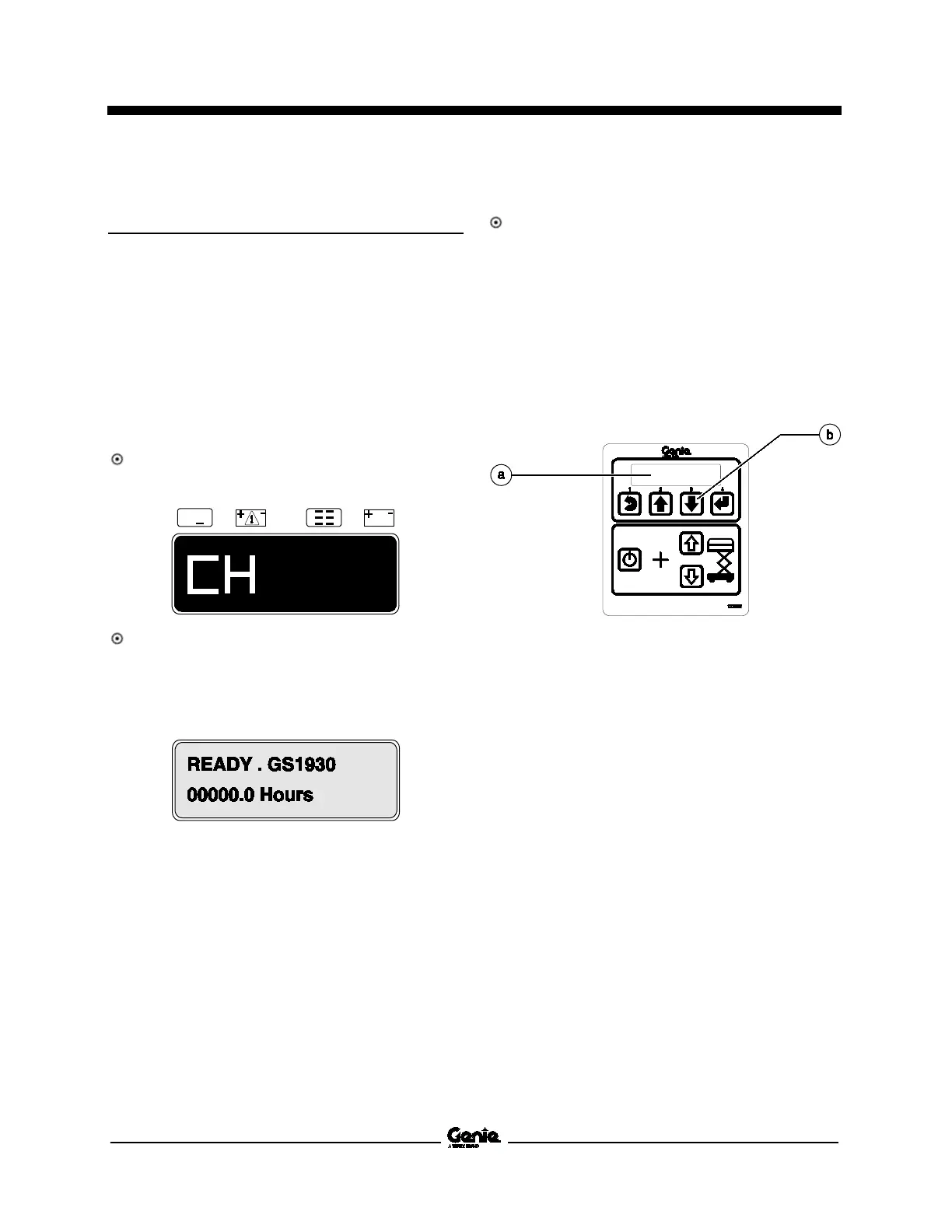
Result: The display at the platform controls will
show "CH". See example below.
Result: The display at the ground controls will
show the machine model and hour meter
information. After 3 seconds, the machine
model will not show on the display. See
example below.
2 Press the ground control scroll down button.
Result: The ground control LCD display will
indicate the software revision and hour meter
information. After 5 seconds, the ground
controls LCD display will display machine
model and hour meter information again. See
example below.
3 Push in the red Emergency Stop button to the
off position at both the ground and platform
controls and turn the key switch to the off
position.
a ground control LCD display
b ground control scroll down button


 To Next Page