Comander Perimeter Security System
Engineering and Installation Manual
Page 20 of 72
2 Comander Rack Configuration – The Configurator
Each Comander Rack has its own local configuration settings, which are accessed via
a "Web Configurator" – this is accessed by pointing a computer web browser at the IP
address of the Comander unit. The Configurator must be accessed using the HTTPS
protocol, which encrypts all information sent between the computer and the Comander.
In order to log in to a particular Comander Rack's Configurator, the Rack must have a
MAC address, and valid IP network settings.
2.1 Setting the MAC Address
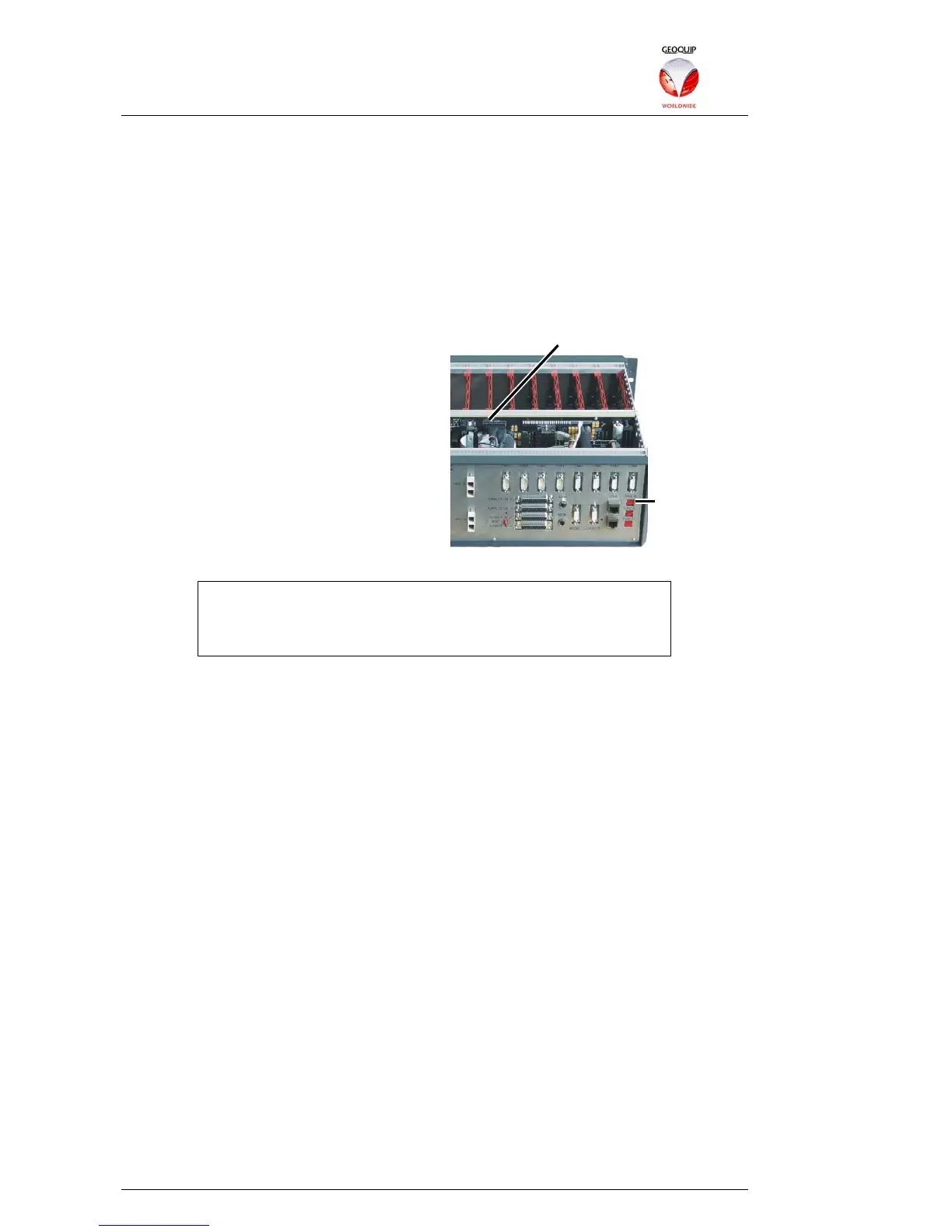
The first five octets of the Comander's MAC
address are fixed, and cannot be changed.
If required, the last octet of a Comander
MAC address can be set using the Rack ID
rotary switch on the back panel, and the
Node ID option jumper on the main PCB:
Without the jumper link fitted, the Rack ID
switch setting 0-9 sets the last octet of the
unit's MAC address to numbers 0-9. With
the jumper link fitted, the Rack ID switch
setting is increased by 10, so can vary the
last octet of the MAC address from 10 to 19.
Because each device on an Ethernet network must have a unique
MAC address, and each Comander can only have one of 20
different MAC addresses, no Comander network can include
more than 20 Comander Rack units.
2.2 Setting the IP Address
If you need to change a Comander Rack's IP address, there are two ways of doing this.
If the unit has a known IP address and its Configurator can be accessed via a web
browser, the IP address can be changed using the Configurator – see section 2.5.2.2
below for details.
If the IP address is unknown or has been reset to 0.0.0.0 (the factory default), the
Configurator will not be accessible. In these circumstances, the IP address of the
Comander can be discovered and/or set using a special program which is available
from Geoquip – see section 7 for details.
2.3 Accessing and Using the Configurator
To access a Rack's Configurator, you will need to use a computer which is connected
to the same Ethernet network, and configured with a suitable IP network settings to
connect to the Rack. The computer will also need a standards-compliant web browser
installed.
2.3.1 Logging In
To log in, point the browser at the Comander Rack's IP address using the HTTPS
(secure encrypted) web request protocol. For example, if the Rack has the IP address
10.2.3.100, you should point your browser to
https://10.2.3.100
When you access any service using the HTTPS protocol, your browser will try to
identify the service from its SSL Security Certificate. All Comander Racks have an SSL
Rack ID Switch
Node ID Link



 To Next Page