Comander Perimeter Security System
Engineering and Installation Manual
Page 69 of 72
7 The DIGI Discovery Program
7.1 Detecting Comander Racks and IP Addresses
Each Comander Rack unit can be located on the Ethernet network by its MAC address,
irrespective of whether its IP address is properly configured, using a program called
DIGI Discovery. This program is available (free of charge) from Geoquip - please
contact Geoquip to obtain a copy.
The DIGI Discovery program is a Windows application, and can only be used on a
Windows computer which is connected to the Comander network, with an appropriately
configured network interface.
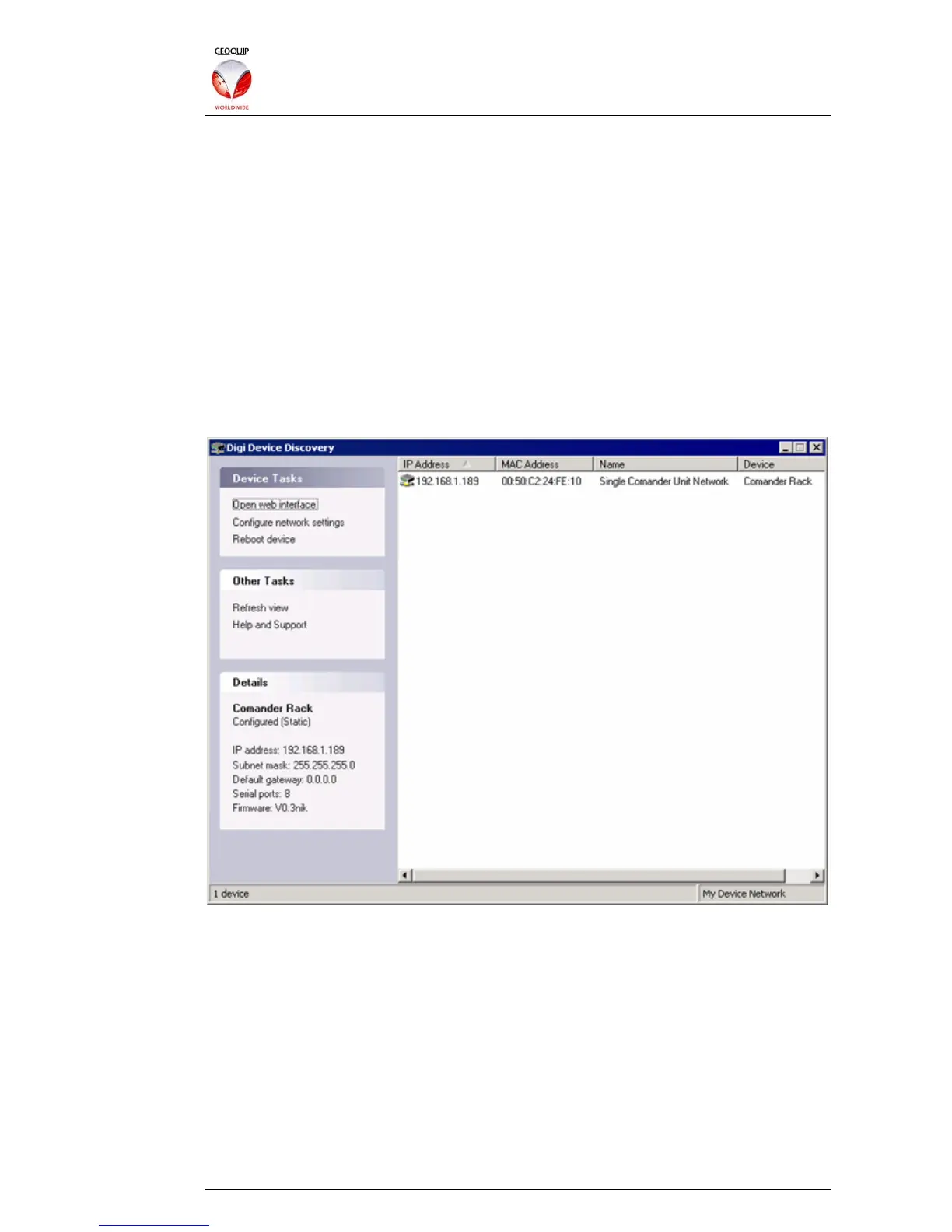
When the Discovery program is run, it automatically scans the local Ethernet network
(as configured in the host’s network interface settings) and lists the Geoquip network
devices it finds, including any Comander Racks. The illustration below shows the
simplest possible Comander system, with a single Rack at IP Address 192.168.1.189:
Note that the column titled “Name” displays the name allocated to the Rack on its
Configurator's Comander Rack Information page - see section 2.5.1 above.
7.2 Resetting a Comander Rack's IP Address
If you already know the IP address of a Comander Rack and can access its
Configurator using a web browser, you can change the IP Address in the Network
Settings page of the Configurator. However, there are some scenarios in which it is
necessary to use the DIGI Discovery program to rescue a "lost" Comander Rack.
7.2.1 Recovering a Comander Rack with an Unknown Address
If you do not know the IP Address of a Rack, you can use DIGI Discovery program to
find it out, as shown above. Once you know the Rack's IP address, you can log in to
its Configurator using a web browser (running on a computer with a compatible IP



 To Next Page