Comander Perimeter Security System
Engineering and Installation Manual
Page 7 of 72
1.3 Connecting Sensors to a Comander System
1.3.1 Connecting Sensors to the Marshalling Box
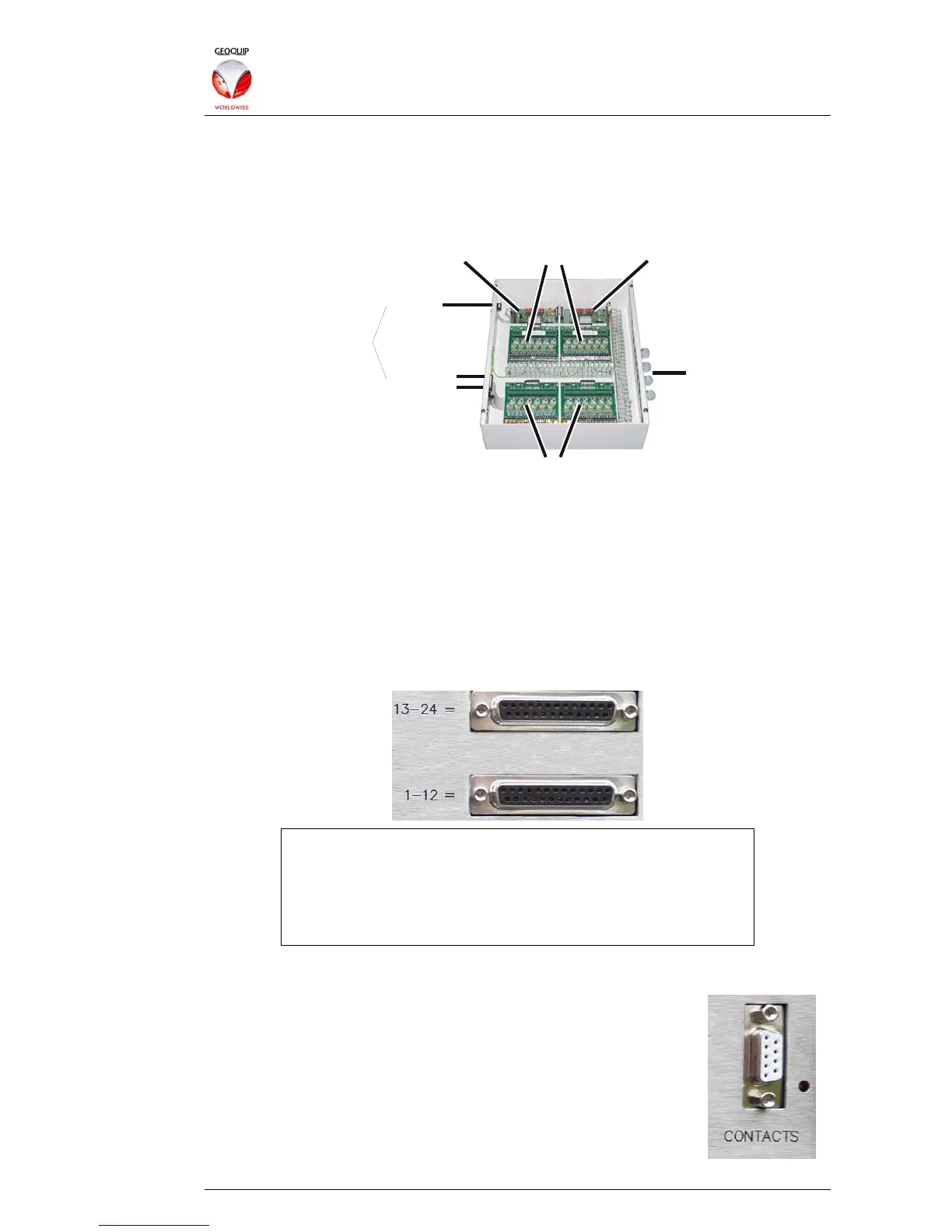
Interceptor cables and Monitored Contact input cables are connected inside the
Marshalling Box to the surge protection boards:
Interceptor Protection Boards
Contacts Protection BoardsContacts Master Board Contacts Slave Board
Contacts
Inte rceptors
Rack Connections
Incoming
Feeder Cables
1.3.1.1 Interceptor Cables
For a detailed guide to installing Interceptor cables on perimeter fences, and feeding
these signals back to the Marshalling Box connections, please see sections 5 and 6 of
this manual.
The signals from the fence-mounted Interceptor inputs are connected from the
Marshalling Box to the Comander Rack using two multiway cables with 25-way D-
connectors. Each cable carries 12 Interceptor signals, and should be connected to the
corresponding Interceptor sockets (labelled 1-12 = and 13-24 =) on the Rack rear
panel:
For Comander Marshalling Box installations, use sockets
labelled "=", NOT sockets labelled "X". X sockets are used only
for connection to legacy "CentrAlert" Marshalling Boxes, as
described in section 4.2 below.
If you are not sure which type of Marshalling Box you have,
contact Geoquip Technical Support for assistance.
1.3.1.2 Monitored Contacts
The signals from the Monitored Contact inputs are multiplexed onto
a single data link by the Contacts Multiplexing Board in the
Marshalling box, and then connected to the "Contacts" input on the
Comander Rack rear panel using a custom 9-way D-connector.
The standard Comander Marshalling Box provides connections for
24 contacts, but another 72 can be added using additional Contacts
boards mounted in additional Marshalling Boxes.



 To Next Page