Comander Perimeter Security System
Engineering and Installation Manual
Page 8 of 72
Although the Contacts connection uses 9-way D-connectors, it is
NOT a standard RS232 cable. It is a proprietory connection
format, and should only be made using the cable supplied for the
purpose by Geoquip. The Marshalling Box Contacts should
ALWAYS be connected to the Contacts input on the Comander
Rack rear panel, NOT to any of the COM ports.
1.3.2 Serial Ports
Many devices used in security and alarm systems communicate using RS232 serial
connections. To support as wide a variety of such devices as possible, the Comander
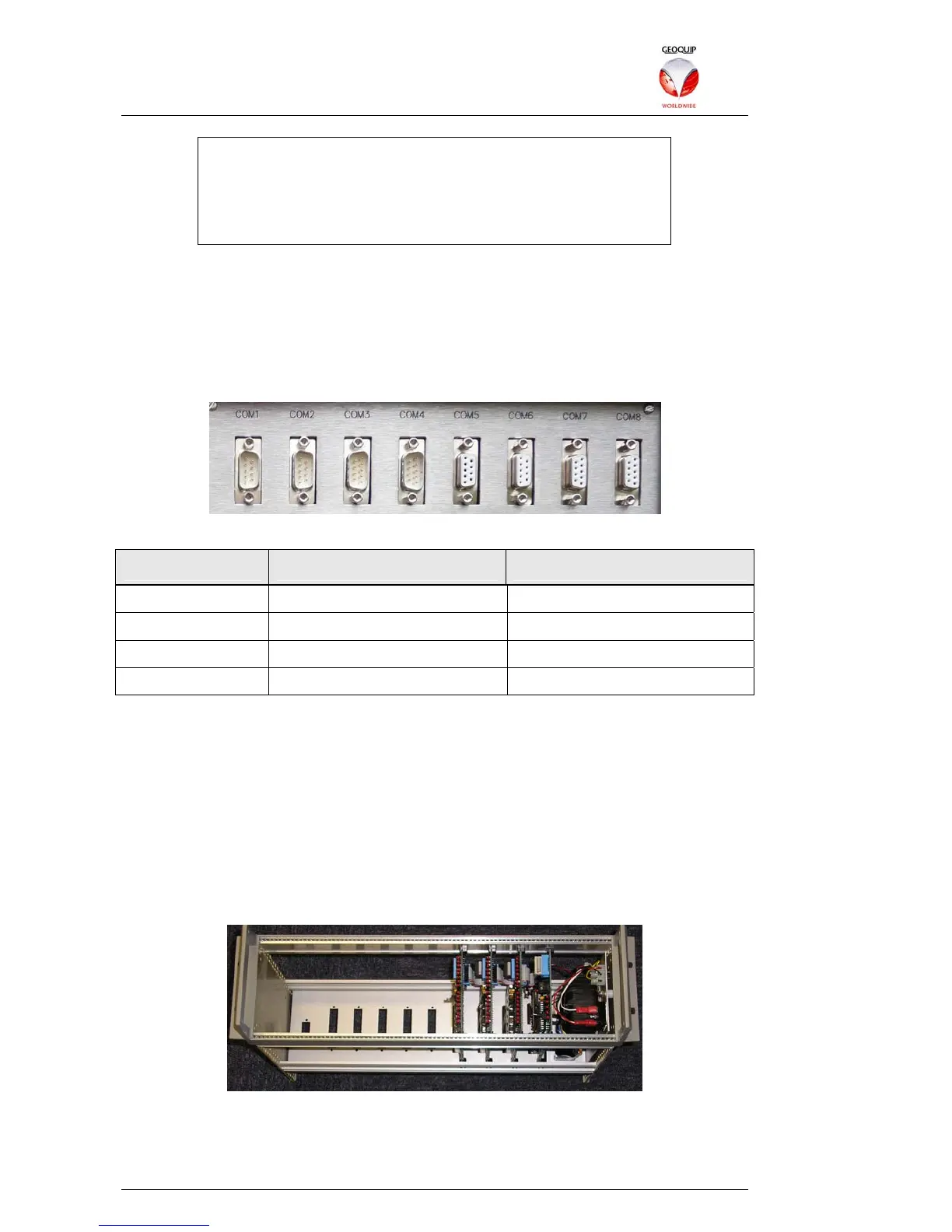
Rack has eight serial ports located on the rear panel.
While it's possible to use all of these connectors simultaneously, the purpose of having
so many is to allow easy connection using different cables and connector formats.
The sockets and wiring are as follows:
Socket Gende
Wiring
COM1-2 Male Straight-through
COM3-4 Male Rx/Tx Crossed
COM5-6 Female Straight-through
COM7-8 Female Rx/TX Crossed
This range of options should allow connection of almost all RS232 devices without
adapters or gender-changers. RS422 and RS485 connections can be made using
adaptors to convert the signals to RS232 – though such adaptors must be externally
powered, since (unlike most PC serial ports) the Comander's serial ports do not
provide a +5V pin.
1.3.2.1 Connecting 1D Relay Racks
Geoquip's 1D Relay Rack peripheral unit is a rackmount box containing up to 8 plug-in
cards. Each card is fitted with 16 relays, so a single 1D Relay Rack can have up to 128
relays.
Geoquip 1D Relay Rack
Relay Racks can also be daisy-chained together, with the unit which is connected to
the Comander acting as the Master unit for the chain. Up to three additional Relay
Racks can be added to one Master, providing up to 512 relay outputs.



 To Next Page