18
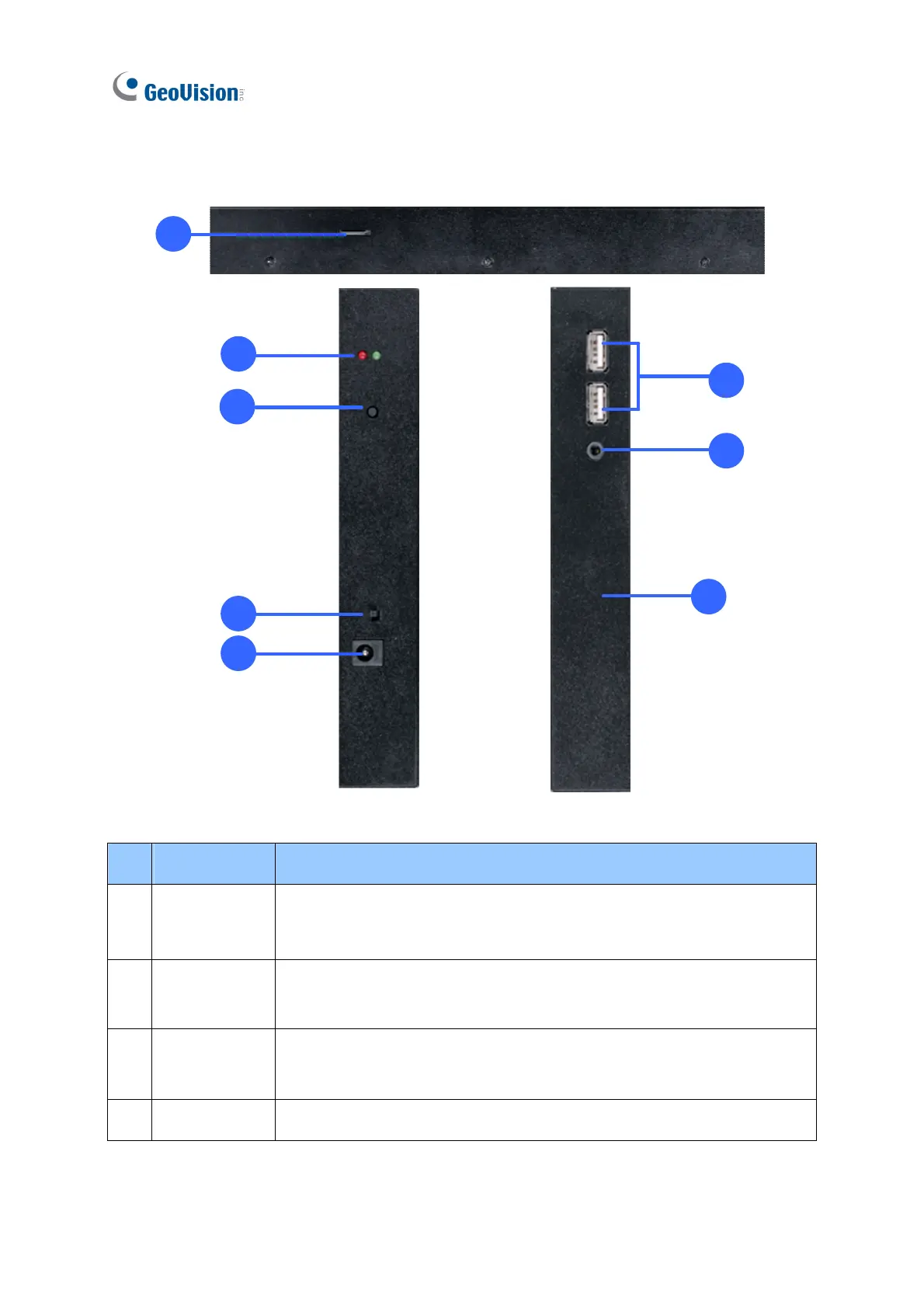
1.8.2.2 Top, Left-Side and Right-Side Views
1
2
3
4
5
7
8
6
Figure 1-11
No. Name Function
1
Micro SD Card
Slot
Connect to a micro SD card for local storage of content and firmware
upgrade.
2 LED Indicators
The red LED indicates the power is supplied.
The green LED indicates the system is ready.
3 Stand By
Press to enter the Standby/Sleep mode. In the standby mode, the
screen turns off to minimize power consumption. Press the key again
to enter the ON mode.
4 Power Off/On Switch the power on or off.


 To Next Page
 Loading...