X350 3D-Printer Quick Start Guide
Seite: 10/29
Stand: 2016/03/24 13:55
© German RepRap GmbH 10/29
The X350 printer contains a 3DPrintBox. The manual for the 3DPrintBox includes all information about
the network setup and software updates. Please ignore instructions about the connection to the
3DPrintBox, as it is already installed and integrated.
http://wiki.germanreprap.com/en/handbuch/3dprintbox_v2
Inserting filament
Please do NOT let the extruder remain at temperature for a longer time if you are not using it. This
may lead to so-called “linking” of plastics and can clog your extruder, which is very hard to clean out.
This effect is most often observed when using PLA (Polylactic acid).
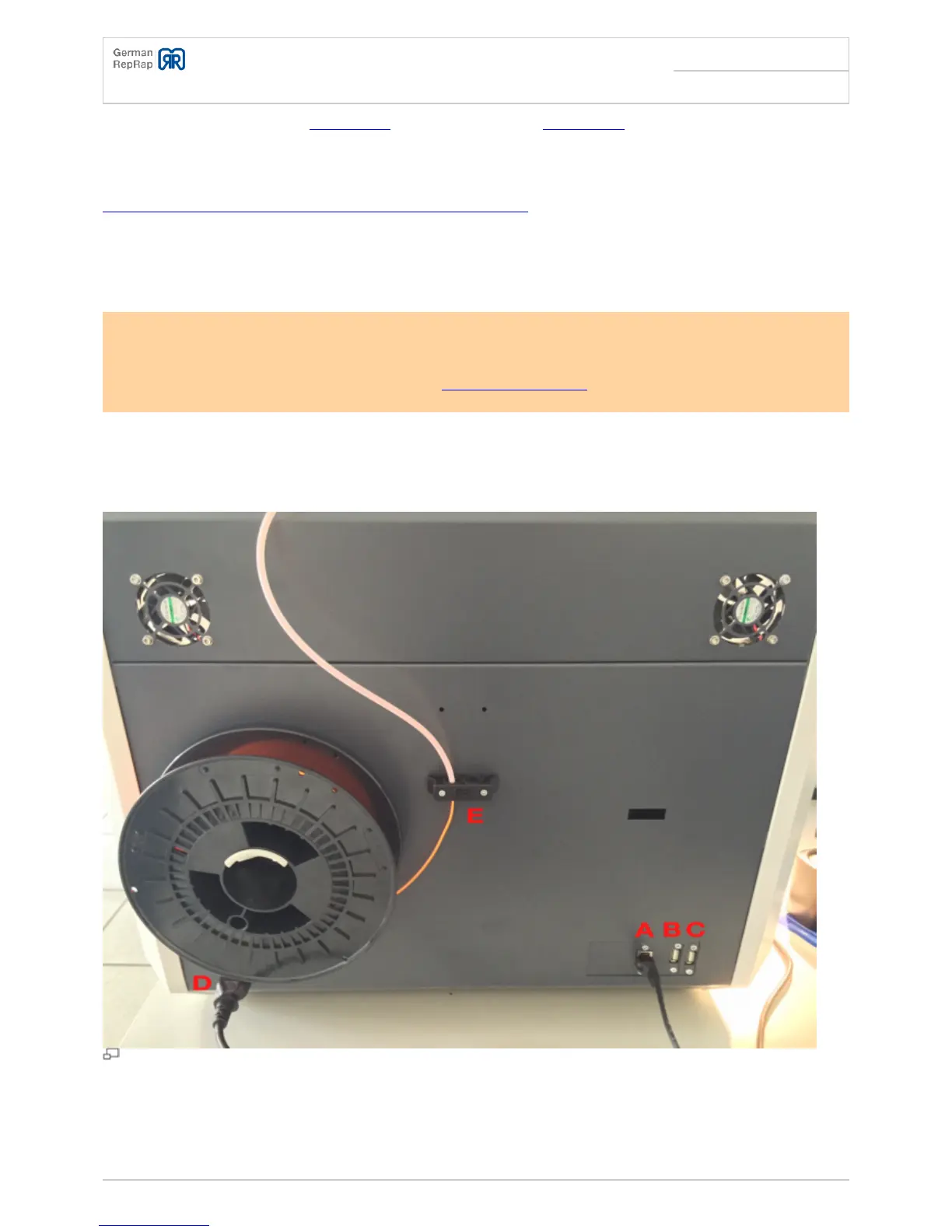
The coil with the printing material is hanged in the coil holder in the back, and the end of the wire is
cleanly cut with a wire cutter. Then the wire is lead through the filament conduct and pushed
forwards to the extruder.
E - Filament insertion
Directly at the device



 To Next Page