98
About Battery and External
Enclosure Replacement
Battery
The batteries of your product include a battery pack and a button cell (or
called RTC battery). Select models have more than one battery pack. All
batteries are available from Getac authorized service centers.
The battery pack is user-replaceable. Replacement instructions can be found
in “Replacing the Battery Pack” in Chapter 3.
The button cell must be replaced by Getac authorized service centers.
Visit the website at http://us.getac.com/support/support-select.html
for
authorized service center information.
External Enclosure
The external enclosure of the product can be removed using screwdrivers.
The external enclosure can then be reused or refurbished.
The enclosure consists of the bottom case and the LCD back over. See below
for information on how to remove the two parts.
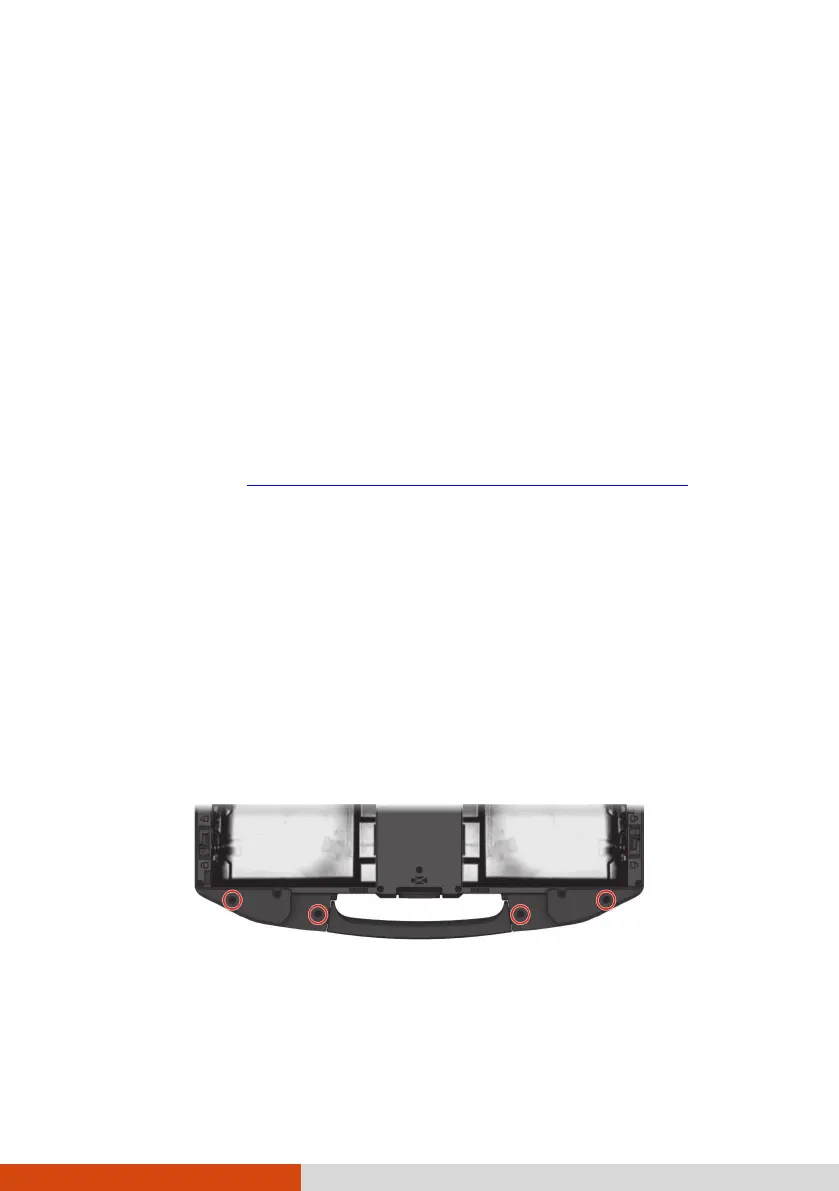
To remove the bottom case:
Remove the screws as indicated below. Detach the handle.



 To Next Page