17
Function Keys
On the top row of the keys are the function keys: F1 to F12. These are multi-
purpose keys that perform functions defined by individual programs.
Fn Key
The Fn key, at the lower left corner of the keyboard, is used with another
key to perform the alternative function of a key. To perform a desired
function, first press and hold Fn, then press the other key.
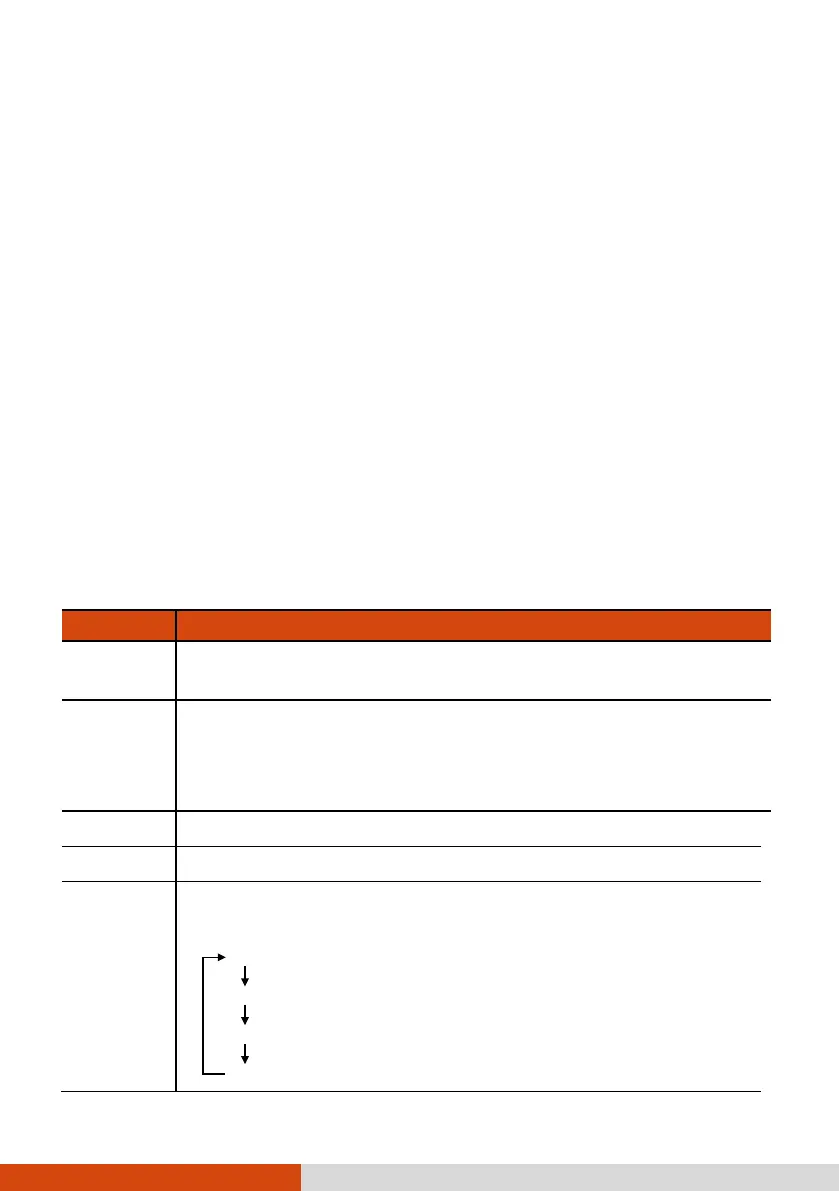
Hot Keys
Hot keys refer to a combination of keys that can be pressed any time to
activate special functions of the computer. Most hot keys operate in a cyclic
way. Each time a hot key combination is pressed, it shifts the corresponding
function to the other or next choice.
You can easily identify the hot keys with the icons imprinted on the keytop.
The hot keys are described next.
Key Description
Fn + Esc
Switches the keyboard backlight off or on (with 4-level
brightness).
Fn + F1 Switches the RF (radio frequency) radio on and off.
When off, all
wireless modules (such as WLAN, Bluetooth, and
WWAN) cannot be used. When on, individual settings of the
module work.
Fn + F3 Decreases the sound volume.
Fn + F4 Increases the sound volume.
Fn + F5
Switches the display output to the next choice if an external
display is connected. Choices are:
LCD only
LCD + External display (Duplicate)
LCD + External display (Extend)
External display only



 To Next Page