50
Changing or Replacing
NOTE: The removal and installation procedures should be performed by
trained professionals.
Changing the Component in the Multi-
Purpose Bay
If you have a user-removable component in the multi-purpose bay, you can
purchase a different one and change the component as needed.
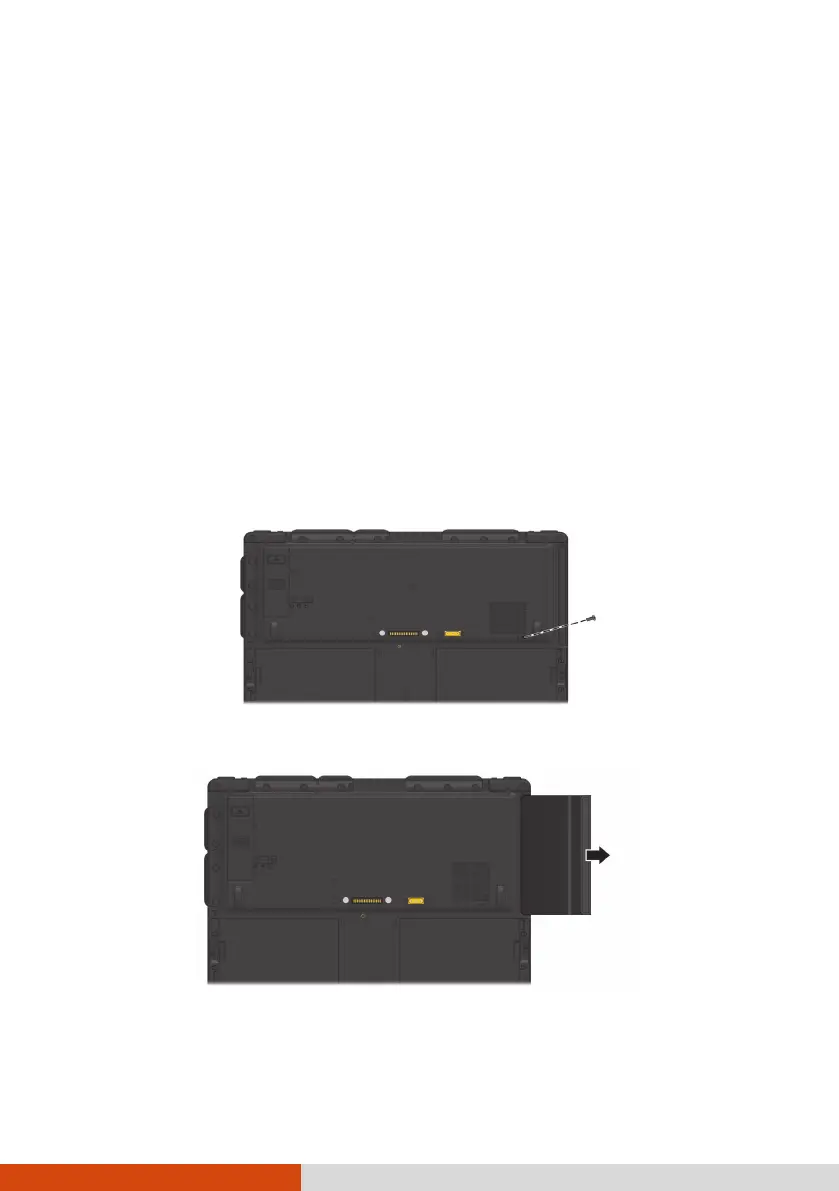
1. Turn off the computer and disconnect the AC adapter.
2. Carefully place the computer upside down.
3. Remove the screw that secures the component.
4. Pull the component out of the bay.
5. Noting the orientation, insert the intended component all the way into
the bay.



 To Next Page