8
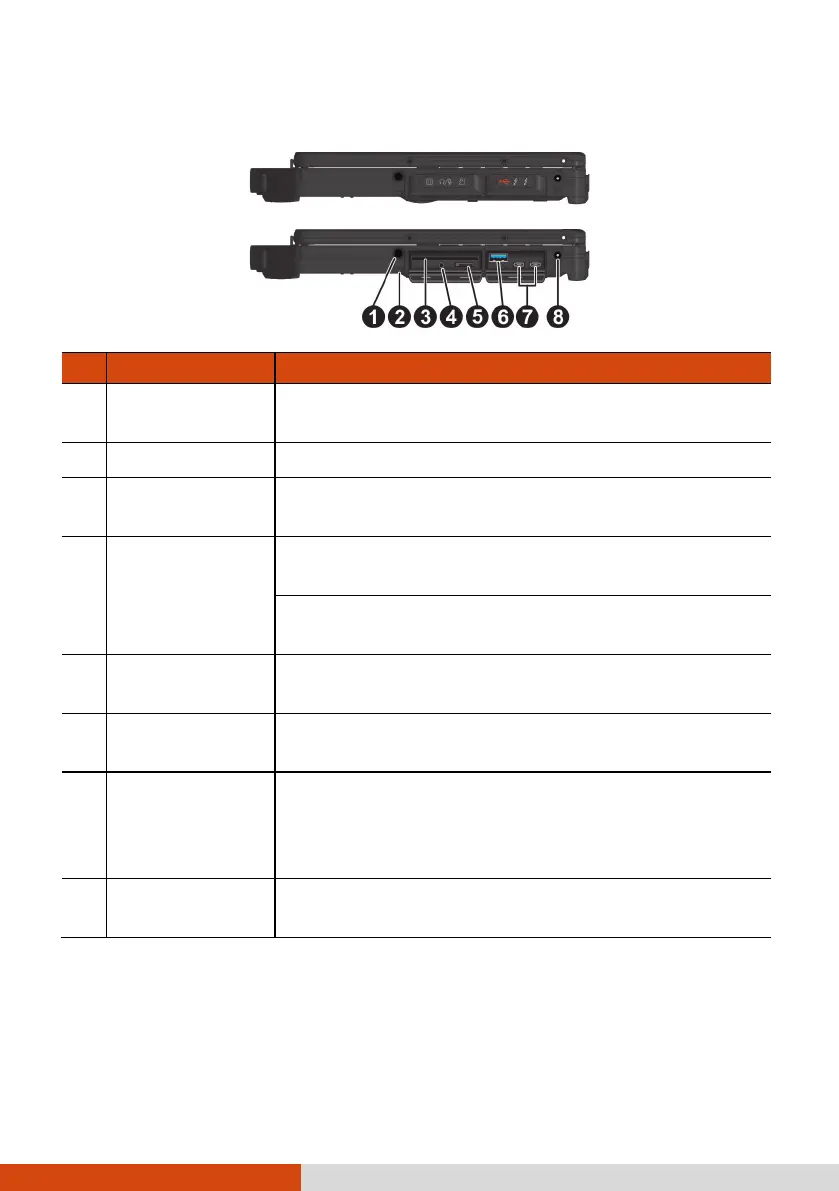
Right-Side Components
Ref
Component Description
Stylus slot
(optional)
For storing the stylus (optional).
Tether hole Stylus (optional) tethered to this hole.
Smart card
reader (optional)
Accepts a smart card for additional security feature.
Combo audio
connector
Connects a set of headphones or external speakers
with amplifier.
Supports a headset microphone with 4-pole TRRS
3.5mm jack.
Storage card
reader (optional)
Accepts a microSD card for removable storage
media.
USB 3.2 Gen 2
port
Connects a USB device.
USB-C
Thunderbolt™ 4
port
Connects to devices that support Thunderbolt or
USB-C connection. (Depending on the model you
have, there is one or two USB-C Thunderbolt™
ports.)
Power
connector
Connects the AC adapter.



 To Next Page