40
When the battery is low, the computer’s Battery Indicator (
) also blinks
red to alert you to take actions.
Always respond to low-battery by connecting the AC adapter, placing your
computer in Hibernation mode, or turning off the computer.
Replacing the Battery Pack
CAUTION:
There is danger of explosion if the battery is incorrectly replaced. Replace
the battery only with the computer manufacturer’s optional battery
packs. Discard used batteries according to the dealer’s instructions.
Do not attempt to disassemble the battery pack.
A battery pack can get hot due to long working hours. Do not touch a
hot battery pack with bare hands. After removing a battery pack, put it
in a well-ventilated area.
NOTE: You can hot swap a battery pack if your computer model has another
one supplying the power. The appropriate temperature range for hot
swapping the battery pack is between -21°C (-5.8 °F) and 45 °C (113 °F).
1. Turn off the computer and disconnect the AC adapter. After turning off
the computer, allow a cool-down time of at least 5 minutes before
removing the battery pack.
For models having more than one battery pack: Skip this step if you are
hot swapping the battery pack.
2. Carefully place the computer upside down.
3. Locate the battery pack you want to remove.
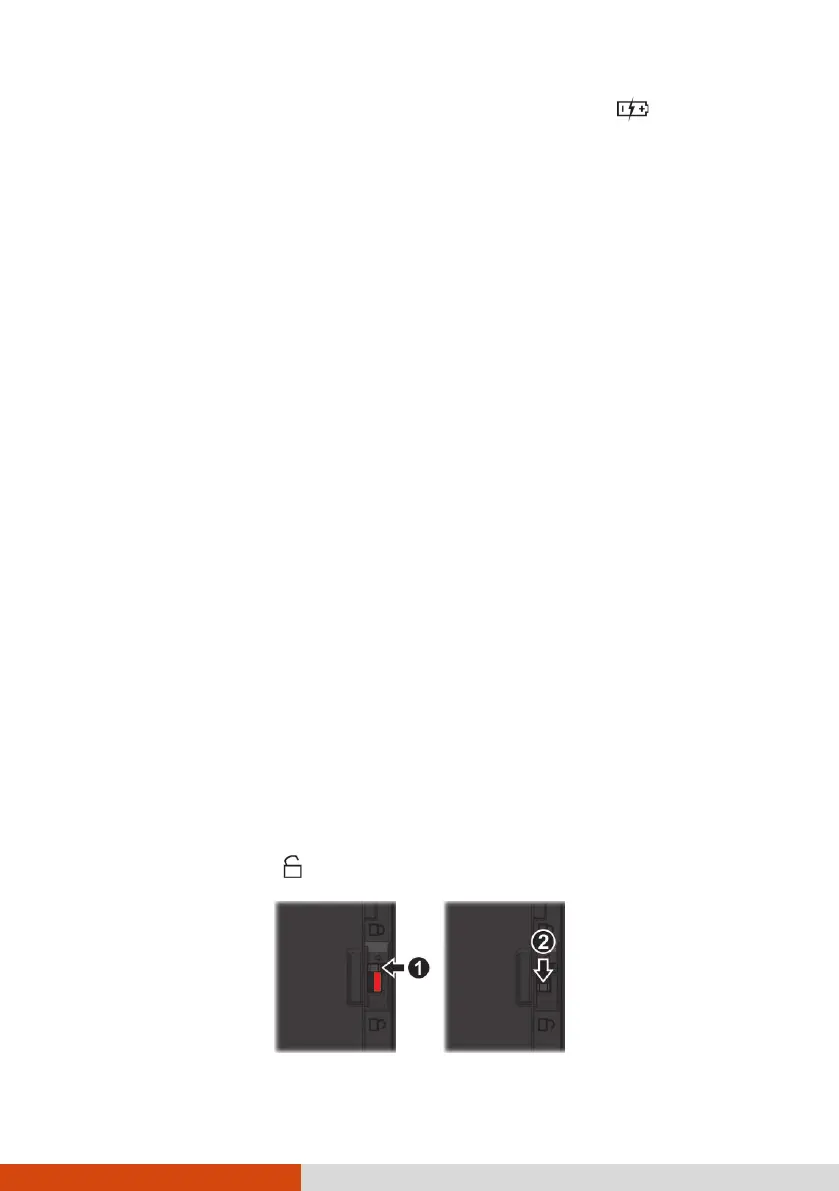
4. Slide the security lock toward the battery pack (
) and then toward the
unlocked position ( ) (
) to release the battery pack.



 To Next Page