46
Before connecting a device for charging, make sure the device works
with the USB charging feature.
Connect a device directly to this port. Do not connect via a USB hub.
After resuming from sleep or hibernation, the computer may not detect
the connected device. If this happens, try disconnecting and reconnecting
the cable.
USB charging will stop in the following situations.
– You shut down the computer by pressing the power button for more
than 5 seconds
– All power (AC adapter and battery pack) is disconnected and then
reconnected during power-off state.
For USB devices which do not require charging, connect them to other
USB ports on your computer.
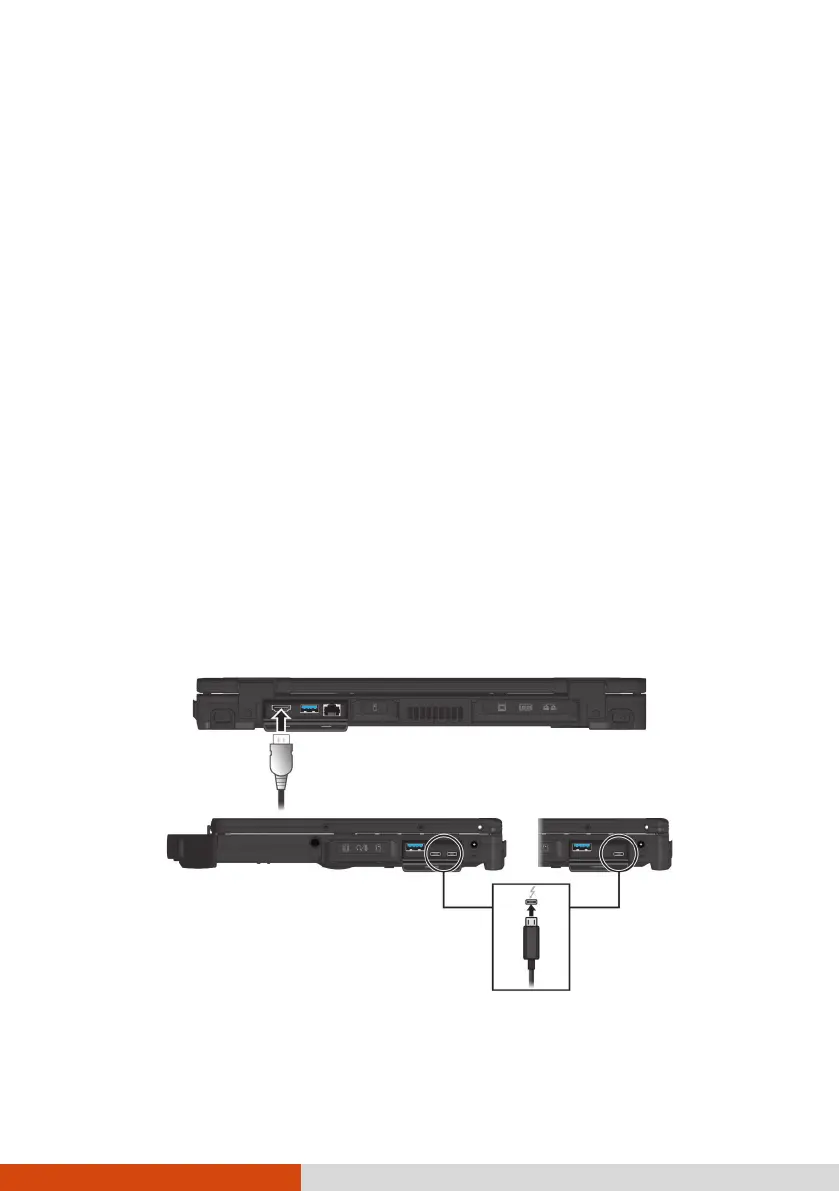
Connecting a Monitor
Your computer supports simultaneous use of up to three external monitors.
Standard models have HDMI and DisplayPort interfaces. Depending on the
type of your monitor, plug the monitor’s signal connector to the HDMI or
DisplayPort connector.
DisplayPort
(through Thunderbolt)



 To Next Page