11
Ref
Component Description
Select models have the touchscreen feature.
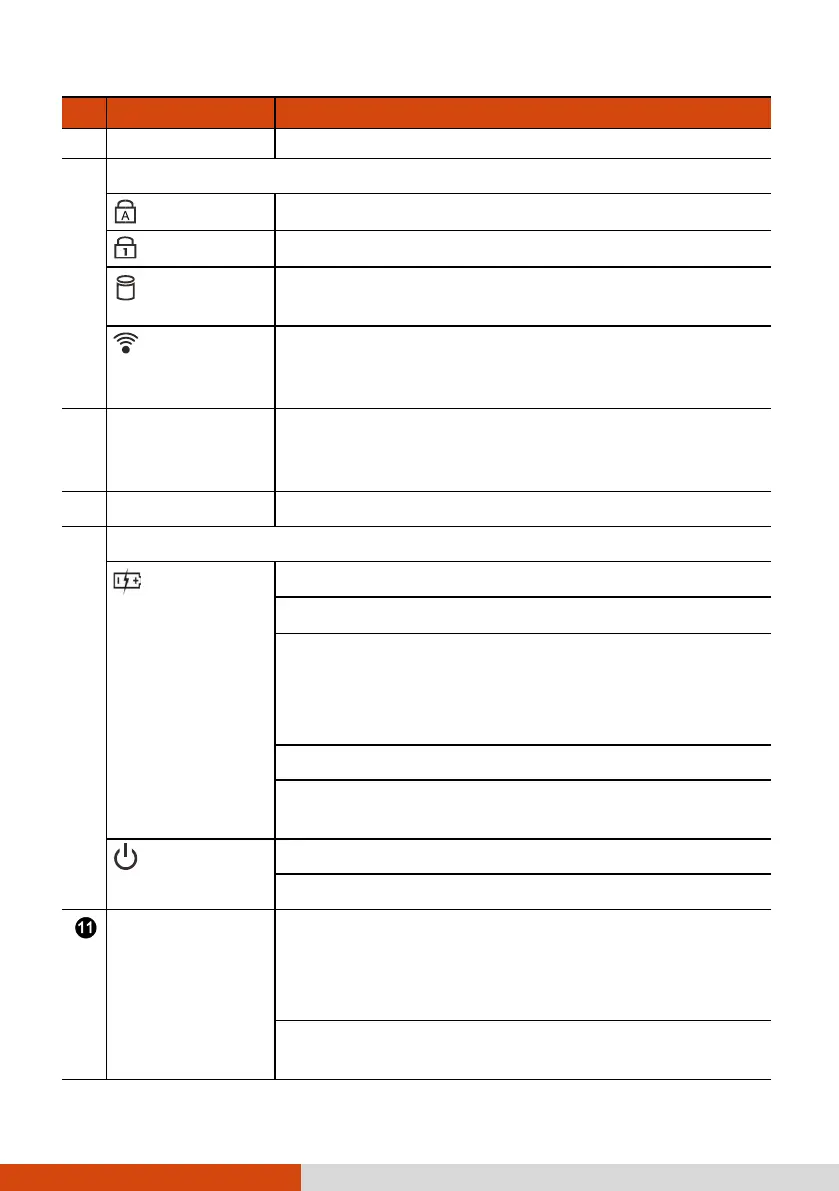
Indicators
Caps Lock
Lights green when Caps Lock is on.
Num Lock
Lights green when Num Lock is on.
SSD
Blinks green when the computer is accessing the
SSD.
Airplane
mode
Lights green when the RF radio of any RF feature
(WLAN/Bluetooth/WWAN) is on. If Airplane mode
is switched on, the light turns off.
Fingerprint
scanner
(optional)
Serves as the fingerprint verification, preventing
unauthorized access to your computer.
Touchpad Serves as the pointing device of the computer.
Indicators
Battery
Lights amber when the battery is being charged.
Lights green when battery charging is completed.
Blinks green to indicate the battery’s built-in high
temperature protection mechanism is activated.
CAUTION: Do not remove the battery during this
period.
Blinks red when the battery’s capacity is below 10 %.
Blinks amber when the battery is in an abnormal
condition.
Power
Lights green when computer is on.
Blinks green when computer is in Sleep mode.
P1 button Toggles Blackout mode on or off.
In Blackout mode, the LCD backlight, keyboard
backlight, and LED indicators are all turned off;
and the sound is muted.
Serves as the trigger button for the barcode
scanner if your model has the module.



 To Next Page