Software description and settings4
Service instructions
5015108-00 Edition 0403
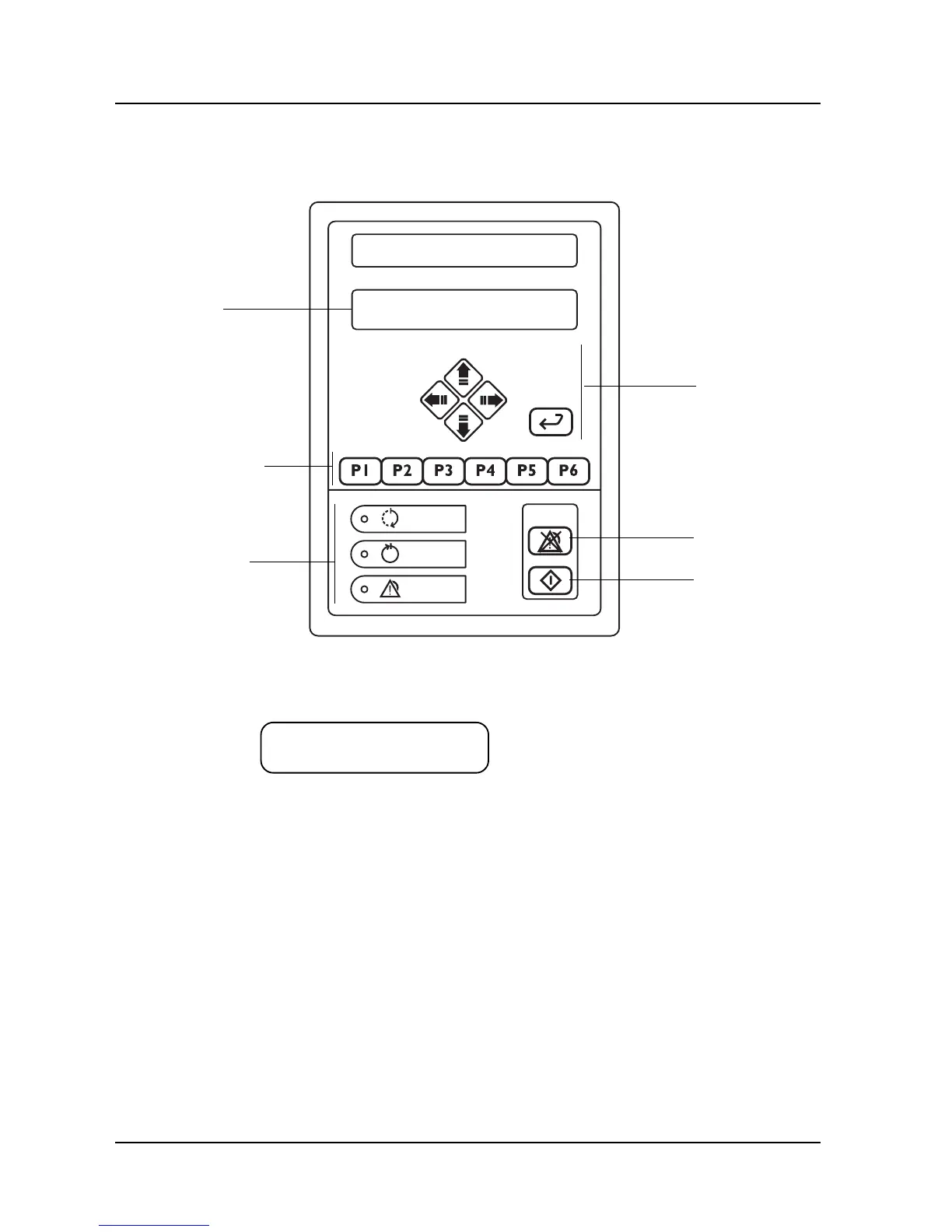
The control panel
The buttons on the control panel are used to choose programs, navigate the menu tree,
acknowledge error codes, etc.
Buttons for
menu tree
navigation
Program selection
buttons
V1363
Acknowledgement
of error
message
Start wash
program
Display
Display
The screen has two lines, each with a capacity 20 characters.
P01 OP-SHORT-D
47.0 °C
Information or error messages appear on the bottom line and replace the text that would
otherwise appear here.
Program selection buttons
With 1-6 you can choose up to six programs. If the control system has more programs, the
subsequent ones are chosen from a scrollable list. You can reach the list of available programs
(from standby mode), by pressing S twice and choosing a program with J or H. Confirm
the chosen program with S .
Indicator lamps



 To Next Page