Repair and adjustment
19
Service instructions
5015108-00Edition 0403
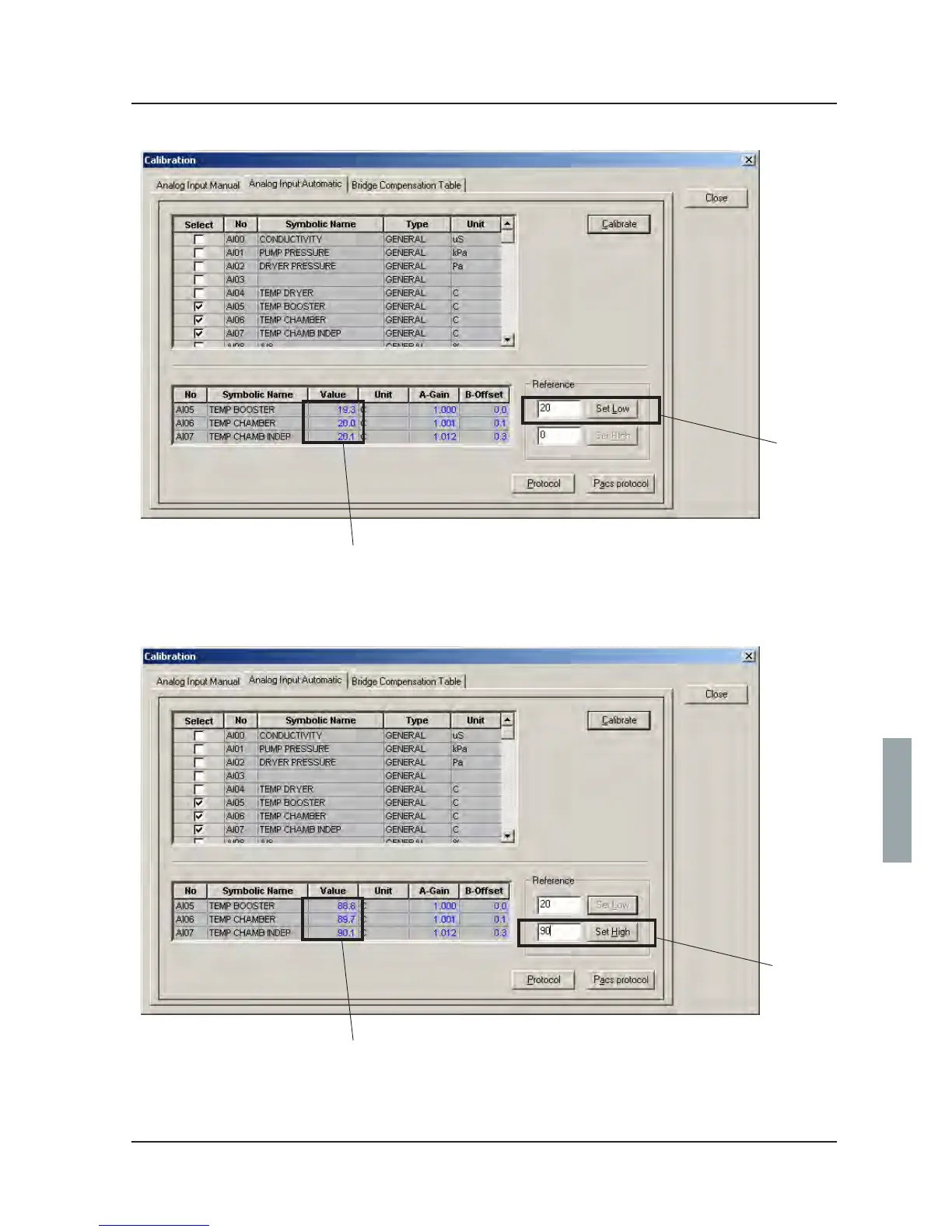
5 Enter the value 20 (A) and click Set Low.
6 Check that the value (B) rises to 20.
7 Replace resistors for 20 ºC with resistors for 90 ºC.
8 Enter 90 (A) in CS 1000 and click Set High.
9. Check that the value (B) rises to 90.
10. Log off CS 1000.
11. Remove the resistors and reinstate the temperature sensors.
A
A
B
B
V1572
V1571



 To Next Page