Administrator information Bedienungsanleitung MSA 4
28
6 Administrator information
The electro-fusion (EF) unit can be configured at different levels:
In depth for setting the workflow to be used by the operator
For minimal aspects, during the normal operations
For this reason the machine, at power on, is programmed to show the minimal set of
menus, including just a few basic options.
If the EF unit needs to enable additional options, a machine responsible has to access the
full set of menus. This is possible via a specific barcode, which should not be replicated or
given to generic users.
The bar code to be used is printed on a plastified sheet which is part of the technical
documentation and shall not be lost.
As soon as the EF unit is powered-on and the initial banner is shown (see the picture as
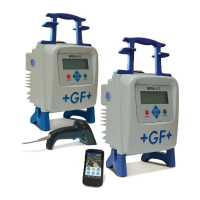
example of how it looks like), the special barcode’s proprietary has to let the machine to
read it (by optical pen or scanner).
MSA 4.0 SW: 2.00 22°C
S/N: S156A6308020
Next rev: 03/16
GENERAL INFORMATION ABOUT THE UNIT
09:16 11.03.14
The machine accepts the barcode only when the banner above is shown, so just for a few
seconds.
If the barcode is recognized, the EF unit will acknowledge the operation with the following
message
22°C
ADMINISTRATOR MENU
ENABLED
09:16 11.03.14
the complete menu set (both for DATA RETRIEVAL and MACHINE SETUP) is available. Then
the machine responsible can change the configuration to suit his needs, as described in
the Configuration Settings and in the Data Management chapters of the Operating
Manual.
The full access of hidden menus persists till the machine is switched off.


 To Next Page