2.3. USB 3G/4G Modem
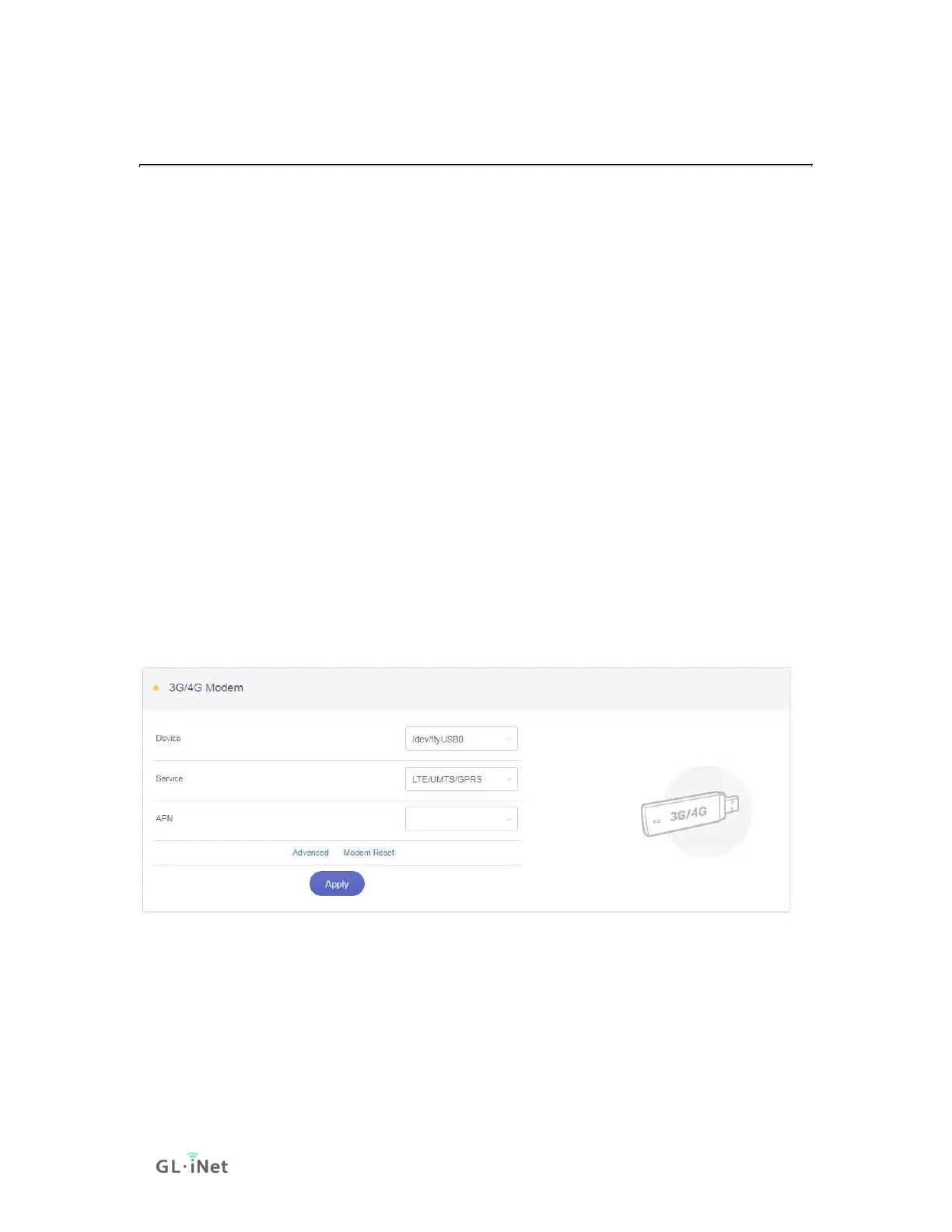
You can connect to the Internet using a USB 3G/4G modem. Insert your SIM card
into the USB modem Plug the USB modem into the USB port of the router. Once it
has been detected, the 3G/4G modem section will be activated and you will be
able to set up your USB modem.
Be aware that some modems work in host-less mode, which will be configured
through Tethering but not 3G/4G modem.
In General, you can set up your 3G/4G modem by the three basic parameters
below. Click Apply to connect.
• Device: Choose /dev/cdc-wdm0 if your modem supports QMI, otherwise you
need to choose /dev/ttyUSB, which may include several ttyUSB from 0 to 3.
You need to choose the correct one based on the modem spec. We suggest
you to try ttyUSB0 first.
• Service Type: Indicate the service type of your SIM card.
• APN: Confirm with your SIM card carrier.
Advanced Settings:
• Dial Number: Generally, it is a default value and you don't need to set it
manually. However, if you have this info, please input it


 To Next Page
 Loading...