"gl-cloud-ui" and click "Install" button. After installation, press "F5" to refresh
Admin Panel, a new item "Remote Access" will appear inside APPLICATIONS.
8.3.2. Enable DDNS
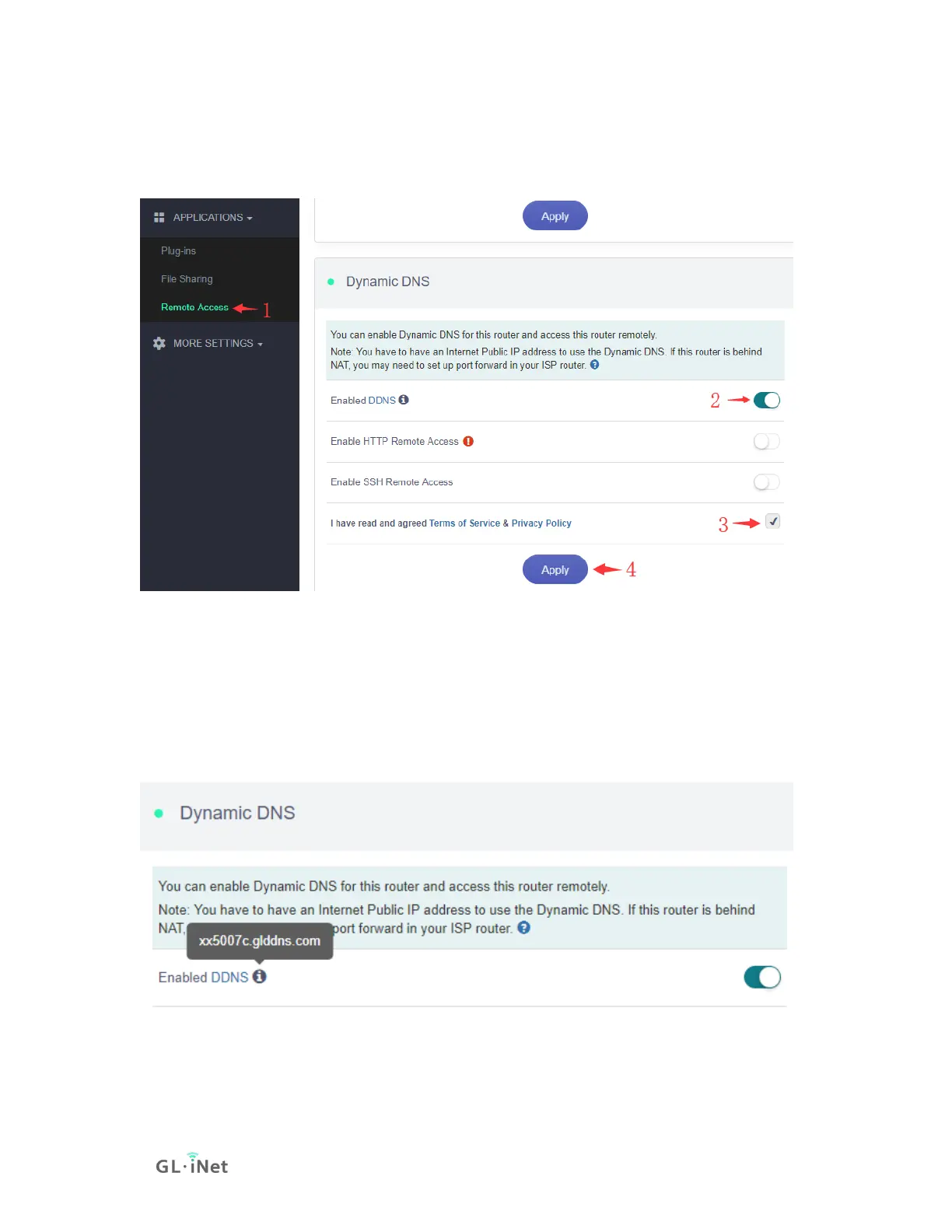
At the left sidebar, APPLICATIONS -> Remote Access, toggle "Enabled DDNS",
agree Terms of Services & Privacy Policy, click "Apply" button. Generally, it take
several minutes to take effect.
Move mouse to hover the icon besides "Enabled DDNS", it will display the DDNS
url of your device.


 To Next Page
 Loading...