General Motors Tech2 User Guide
143
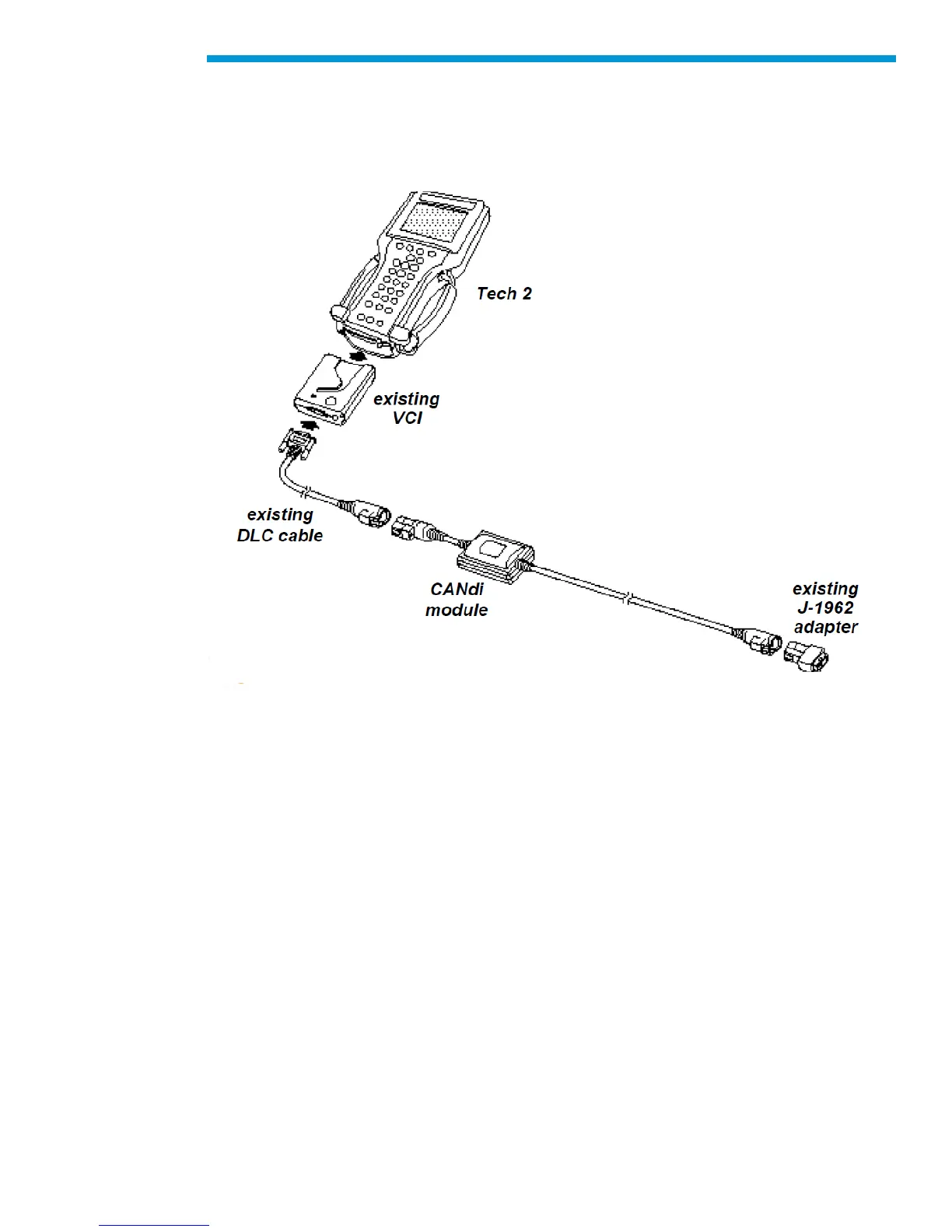
Connection of CANdi Module to Tech2
The CANdi module connects to the Tech2 by the existing Burndy data link connector
(DLC). The vehicle side connection remains unchanged using the existing adapter to
interface between the DLC cable and the SAE J-1962 adapter.
CANdi module connections
Tech2 - VCI - Cable Test
Before using the CANdi module, perform the Tech2 - VCI - cable test to verify the integrity
of the system.
IMPORTANT: To ensure accurate test results, you must install Tech2 software version
23.005 (August 2003) or later.
Necessary components are:
1. Tech2 with VCI module installed
2. DLC Burndy cable
3. AC/DC power source
4. DLC loopback adapter (P/N 3000109), connected directly to the VCI module.


 To Next Page