General Motors Tech2 User Guide
44
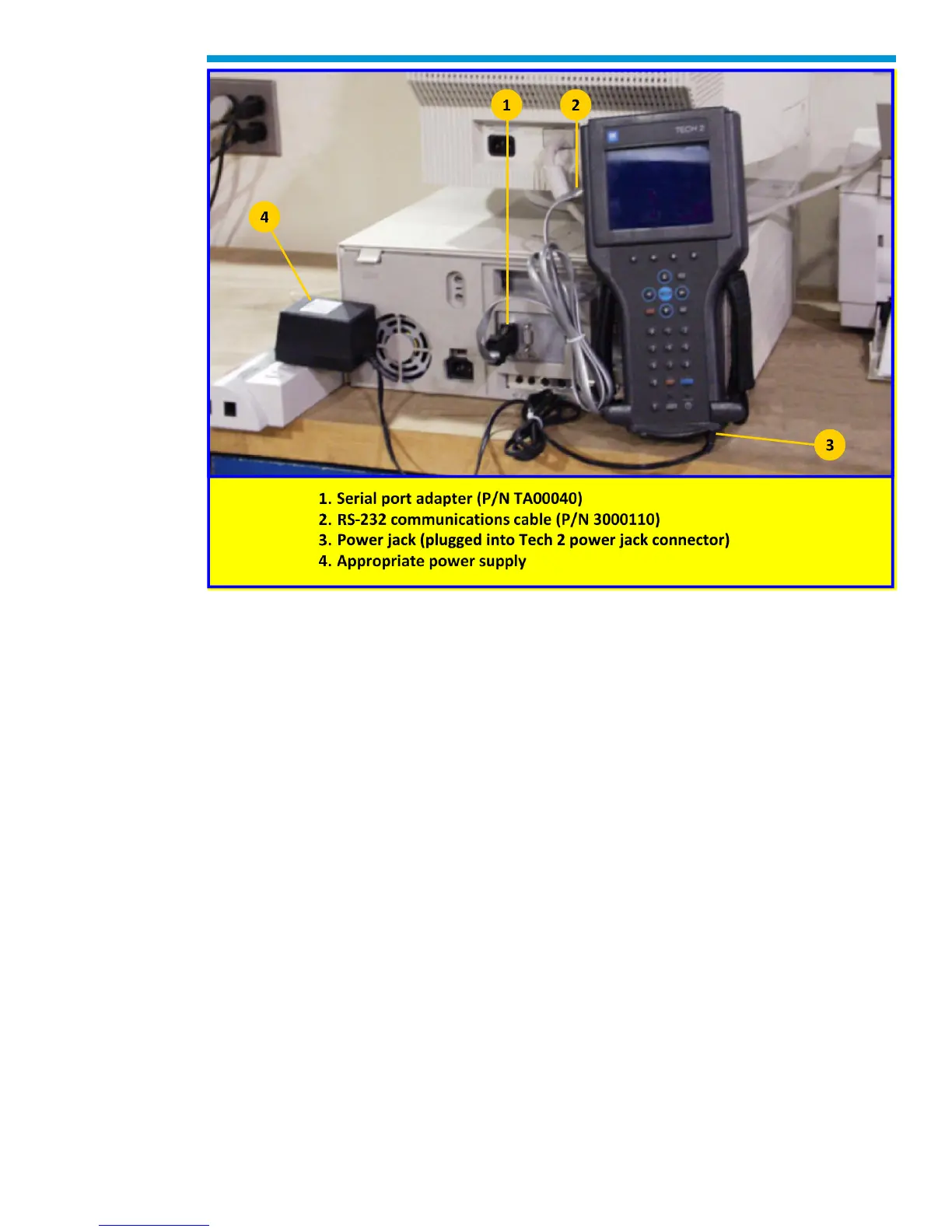
Typical Tech2 connection to a computer (rear view)
Troubleshooting
This is a general troubleshooting guide for all vehicle applications of the Tech2 scan tool.
Some of the information may differ for your particular vehicle application.
If the Tech2 appears to be operating abnormally, refer to this section—particularly the
diagnostic charts and troubleshooting tables—for probable causes and solutions.
The following two types of self tests are available on the Tech2:
• Power On Self Test (POST) checks the major functions of the Tech2 at power-up.
• Self Tests check the major and minor functions of the Tech2.
If errors are detected, a Tech2 malfunction is present which may result in vehicle
misdiagnosis.
For customer support, refer to the Customer Support Overview on pages ii and iii of this
user’s guide.
Notice: The CANdi module should not be connected while running Tech2 and VCI self
tests.


 To Next Page